Docker for Humans

Ship Happens

Docker just turned 13. Two-thirds of professional developers use it daily. Yesterday its most famous learning tool died. Here's everything you need to understand about the technology that quietly runs the modern internet—explained without a single prerequisite.

Listen
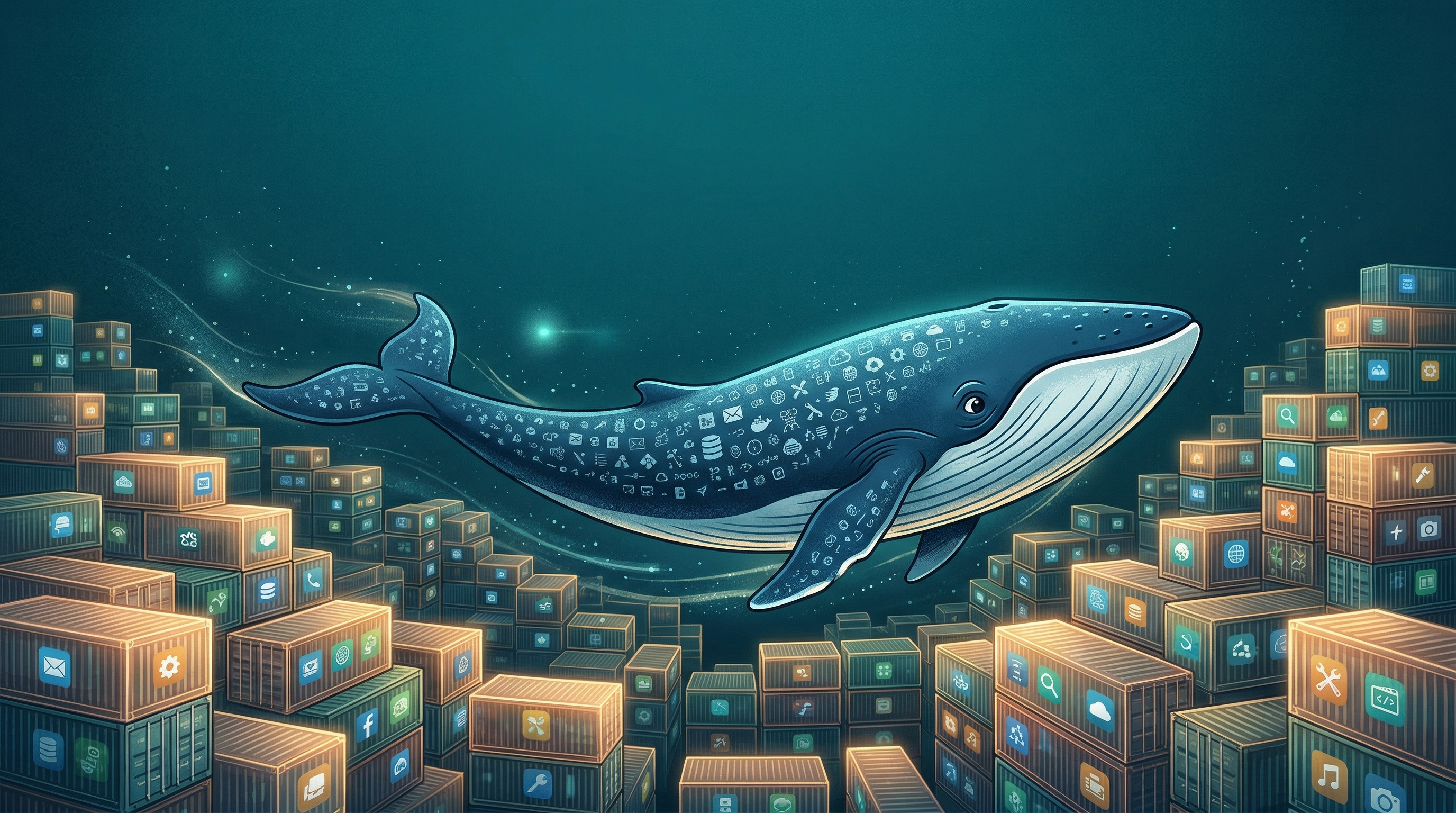
A surreal editorial illustration of a massive blue whale swimming through an ocean of glowing shipping containers, each containing different applications
An abandoned digital playground at twilight with empty swings and dissolving code fragments
01

The Training Wheels Just Came Off

Yesterday, Docker pulled the plug on Play with Docker—the free, in-browser playground where a generation of developers typed their first docker run command. No installation required, no configuration nightmares. Just a browser and curiosity. For millions of beginners, it was the front door to containerization.

That front door is now a wall. Docker's official recommendation? Install Docker Desktop on your actual machine, or try Iximiuz Labs for a similar browser-based experience. The timing is deliberate—Docker Desktop has matured into something genuinely friendly for beginners, with an AI assistant (more on that in Section 04) that holds your hand through the scary parts.

If you're reading an older tutorial and the "Try it in your browser!" link goes nowhere, now you know why. The playground era ended March 1, 2026. But here's the silver lining: what replaced it is actually better. Local Docker means your experiments persist. Your images survive a browser tab closing. You're building real muscle memory, not sandcastle skills.

If you're starting fresh: Download Docker Desktop (free for personal use). It works on Mac, Windows, and Linux. The entire setup takes about five minutes—less time than the old playground took to spin up on a slow connection.
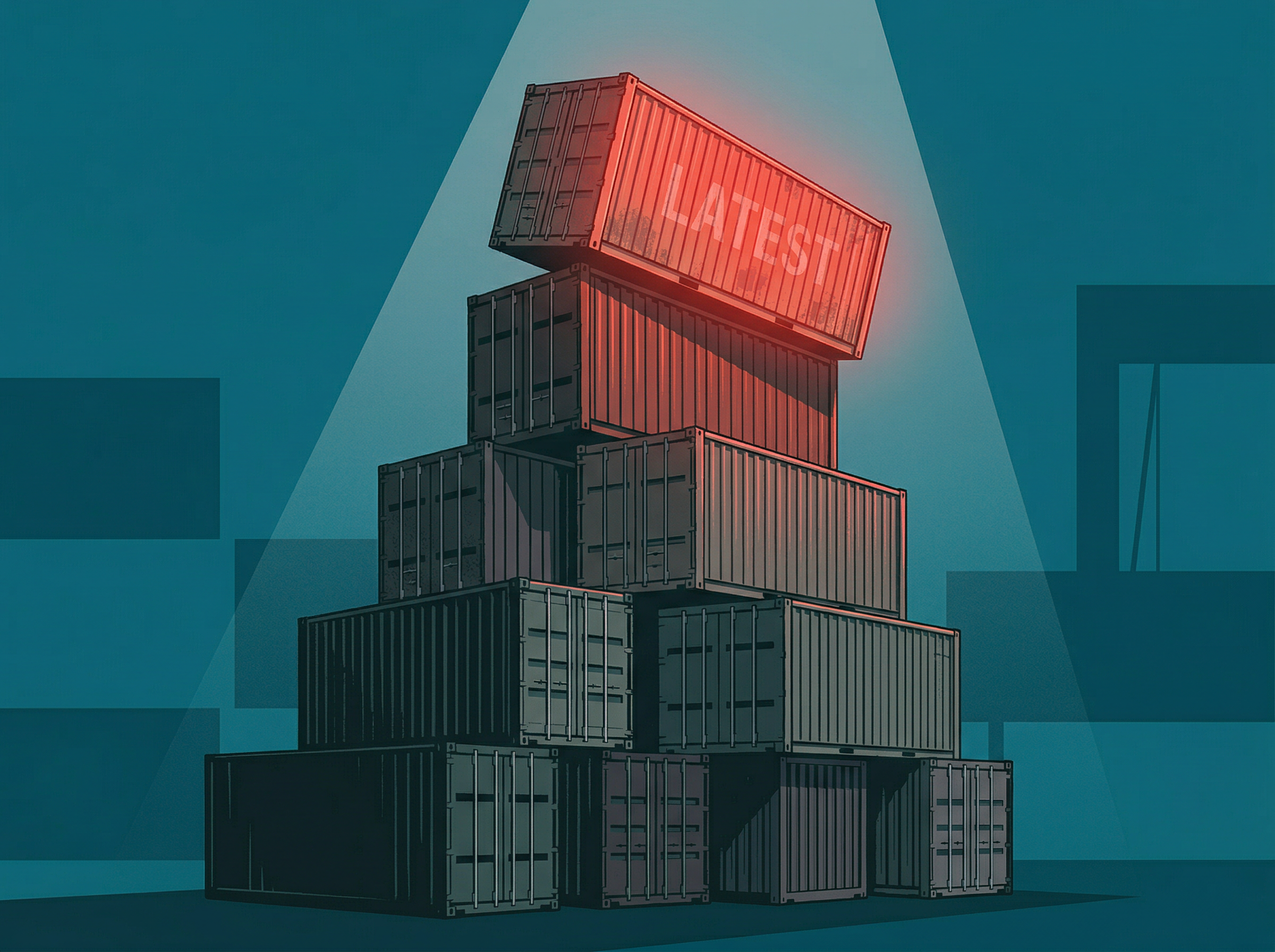

A house of cards built from shipping containers with the topmost card glowing red and teetering
02

The Three-Letter Word That Breaks Everything

There's a word in Docker that every beginner uses and every experienced developer dreads: latest. When you pull an image like node:latest, you're saying "give me whatever version exists right now." Sounds reasonable. It isn't.

Here's what actually happens. You build your app on Monday using node:latest, which gives you Node 22.1. It works perfectly. You deploy it. Friday rolls around, someone pushes a new release, and suddenly node:latest means Node 22.2. Your colleague rebuilds the same Dockerfile, gets a different result, and your app crashes in production. Nobody changed a single line of code.

The fix is embarrassingly simple. Instead of node:latest, write node:22.1. This is called "pinning." It means your container will use the exact same version today, tomorrow, and six months from now. The tag :latest is a promise that will eventually be broken.

This isn't a minor style preference—it's the single most common mistake Docker beginners make, according to surveys from Atlassian, How-To Geek, and Dev.to. Even senior engineers get bitten by it. Pin your versions. Sleep at night.

A massive open warehouse with rows of luminous shipping containers stretching to infinity under golden skylights
03

The Bill That Never Came

If you've been scared away from Docker Hub—the massive public library where developers share pre-built container images—by rumors of impending charges, you can exhale. Docker officially and permanently reversed its controversial storage billing plans in February.

The backstory matters if you're new to this. Docker Hub hosts millions of images that developers download (or "pull") to build software. Late last year, Docker announced plans to charge for image storage and limit free pulls. The community reacted exactly how you'd expect: loudly, angrily, and with threats to migrate to alternatives like GitHub Container Registry or Quay.io.

Docker listened. Pull limits are gone for all paying customers, storage charges are indefinitely shelved, and public open-source images remain free for everyone. For beginners, this is critical context: Docker Hub is free to use, free to explore, and free to experiment with. The biggest library of ready-made software packages on Earth costs you nothing but bandwidth.

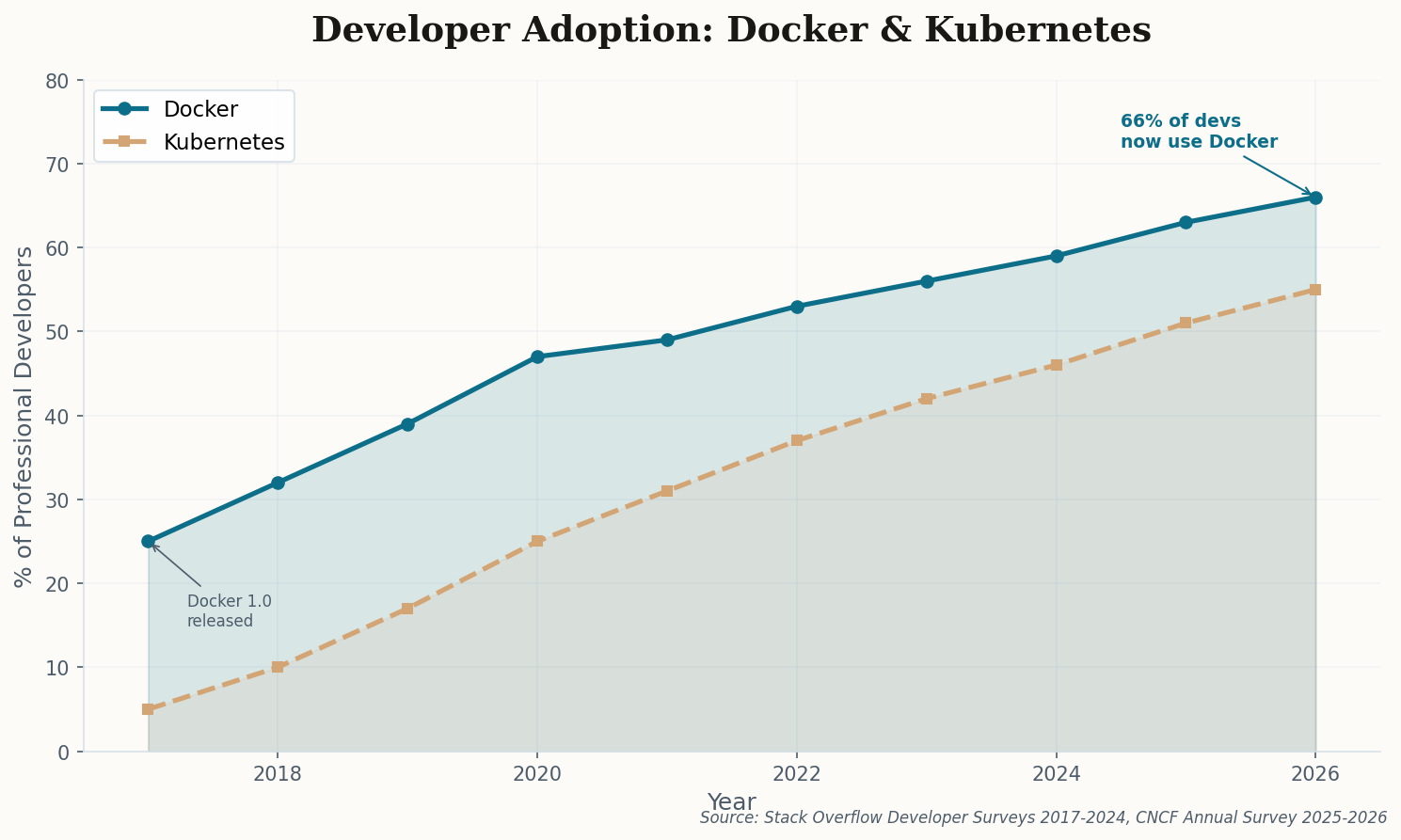
Line chart showing Docker adoption growing from 25% of developers in 2017 to 66% in 2026, with Kubernetes adoption rising from 5% to 55% over the same period
Docker's adoption has been relentless. Two-thirds of professional developers now use it, making it more popular than most programming languages. Source: Stack Overflow Developer Surveys 2017–2024, CNCF Annual Survey 2025–2026.
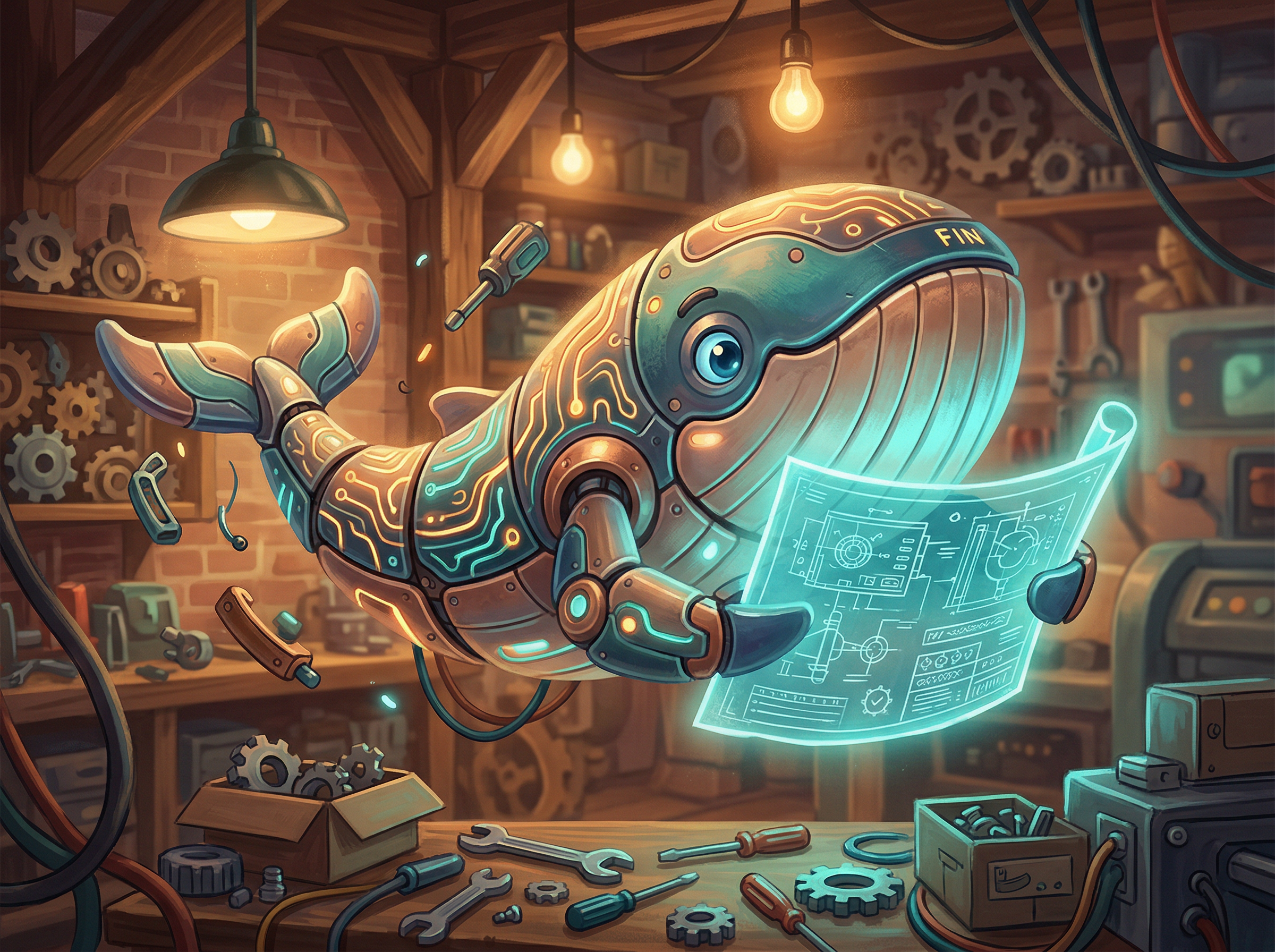
A friendly robotic whale holding a glowing blueprint in a warm workshop
04

Meet Gordon, Your Container Concierge

The hardest part of Docker has always been the Dockerfile. It's a recipe file that tells Docker how to build your container—what operating system to use, what software to install, how to configure everything. Writing one from scratch, as a beginner, is like writing a restaurant menu in a language you don't speak. You know what you want, but the syntax is alien.

Gordon changes that equation entirely. Shipping in Docker Desktop 4.61 (beta), Gordon is an AI agent you invoke by typing docker ai in your terminal. Point it at your project folder, and it analyzes your code, identifies the language and dependencies, and writes a Dockerfile for you. When something crashes, it reads the error message and explains—in plain English—what went wrong and how to fix it.

This isn't autocomplete. It's a conversational assistant that understands Docker's internals well enough to propose fixes, with your approval before it changes anything. Think of it as pair-programming with someone who has read every page of the Docker documentation. For a beginner, it transforms containerization from a research project into a conversation.

Try it: Open a terminal in any project folder and run docker ai "How do I containerize this?". Gordon will scan your files and generate a Dockerfile. You can then ask follow-up questions like "Why did you choose that base image?" or "How do I make this smaller?"

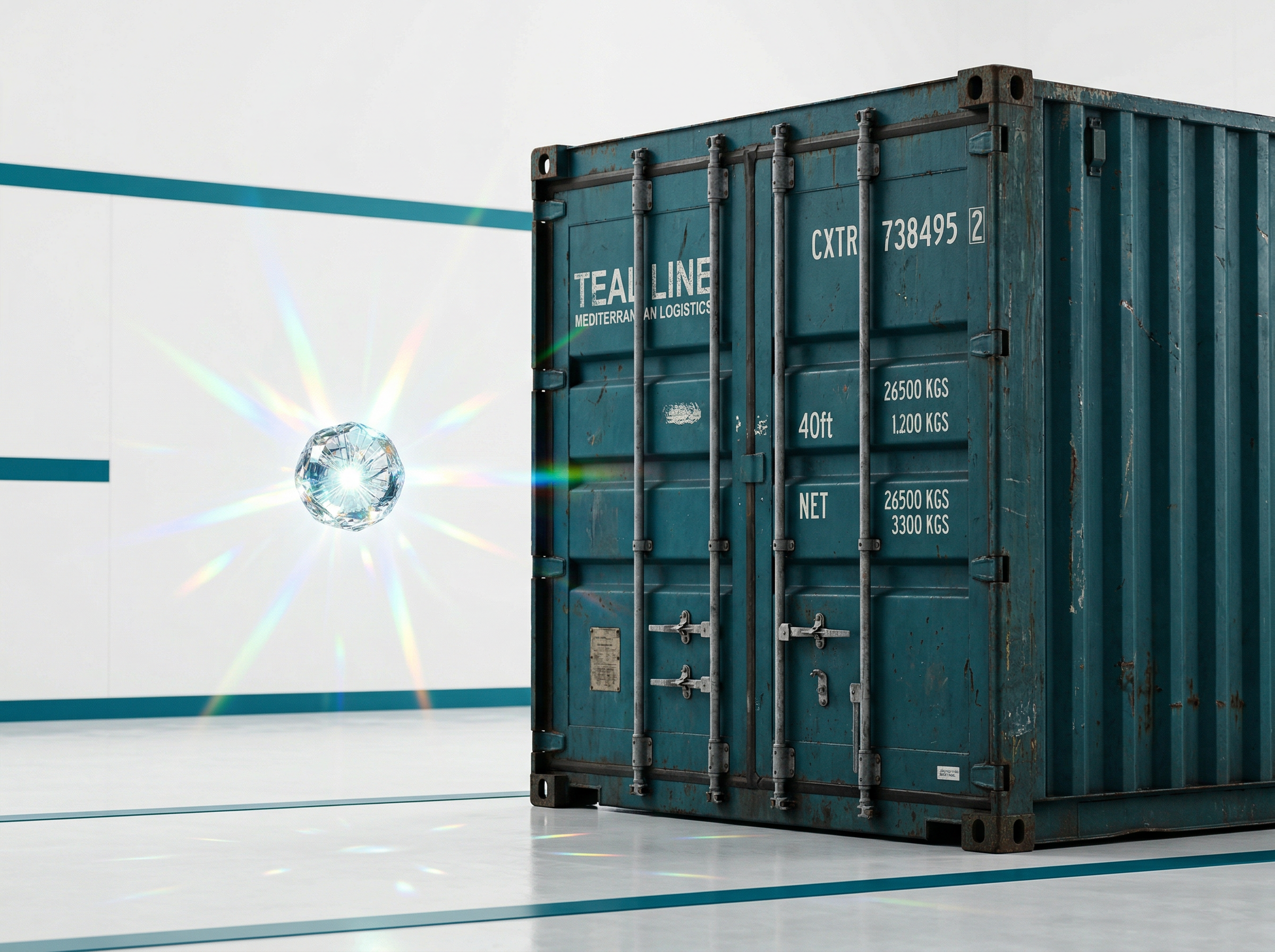
A tiny crystalline orb floating next to a massive shipping container, showing dramatic scale contrast
05

The Container That Fits in Your Pocket

A typical Docker image for a Node.js app weighs about 1,100 megabytes. That's a gigabyte of operating system, libraries, and runtime just to serve "Hello World." It's like shipping a dining table to deliver a sandwich. WebAssembly—Wasm for short—is Docker's answer to that absurdity.

Wasm containers weigh 2 to 10 megabytes. They start in under 500 milliseconds, compared to 2–5 seconds for traditional containers. And as of early 2026, Docker Desktop runs them natively, side by side with regular containers. The latest Wasm standard (WASI 0.3.0, released February 2026) added networking and file system access—the two things that previously kept Wasm locked in browsers.

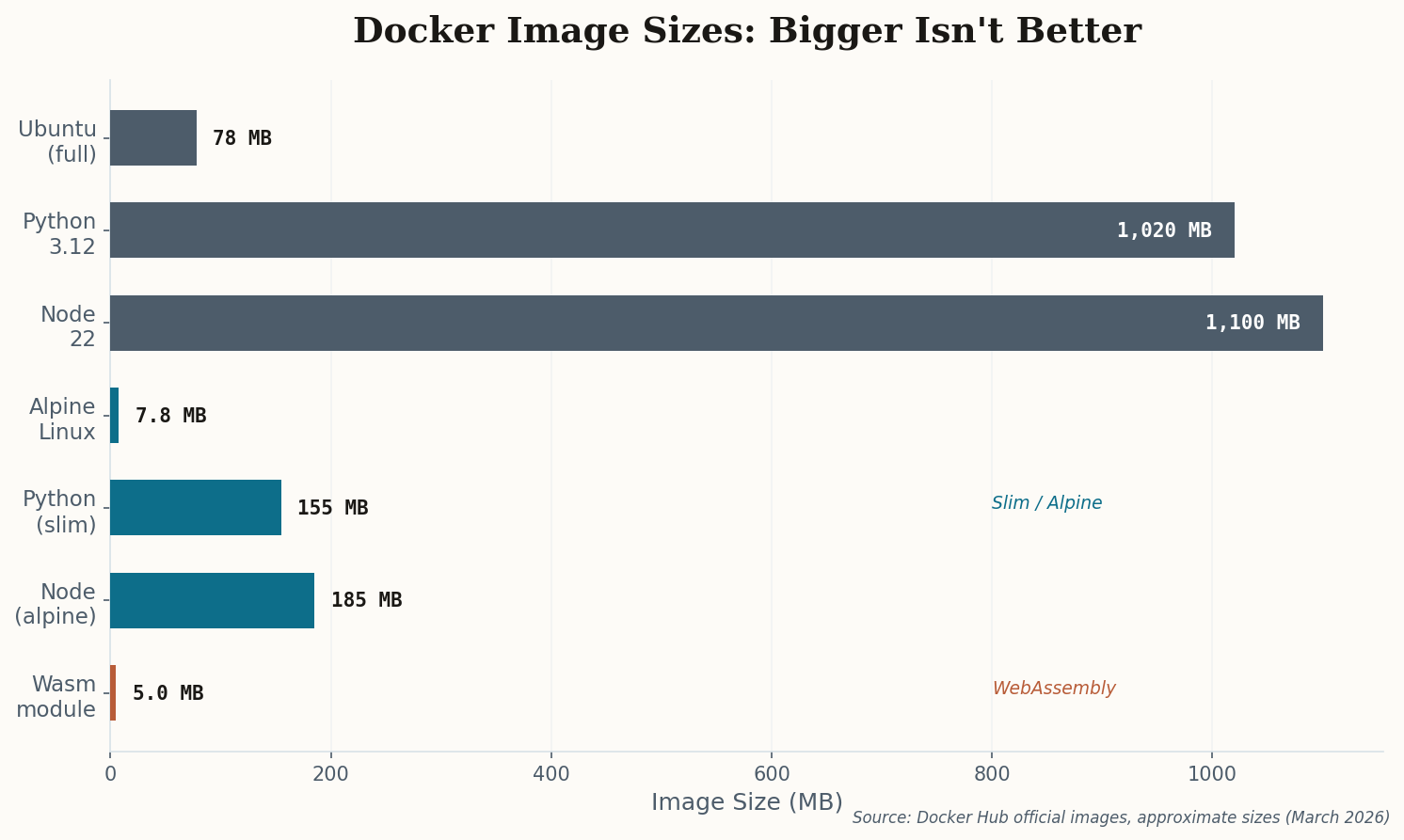
Horizontal bar chart comparing Docker image sizes from full Ubuntu at 78MB to Wasm modules at 5MB, with intermediate options like Python slim and Node Alpine
Size matters in containers. Alpine and slim variants cut bloat dramatically, but Wasm modules are in a different league entirely—200x smaller than a full Python image. Source: Docker Hub official images, March 2026.

You don't need to learn Wasm right now. But know that it exists, and that Docker is embracing it rather than fighting it. The future of containers isn't necessarily bigger or more powerful—it's lighter, faster, and small enough to run on a smart thermostat. As Docker's own comparison puts it: Wasm isn't replacing Docker. It's giving Docker a lighter pair of running shoes.

Split scene showing a heavy suburban house on the left and a sleek modern apartment building on the right, both in teal architectural wireframe
06

Apartments, Houses, and Why Docker Exists

If everything above sounds interesting but you're still fuzzy on what Docker actually is, this section is for you. Forget the technical jargon. Think about real estate.

A virtual machine is a suburban house. It has its own foundation, its own plumbing, its own electrical wiring, its own roof. It's completely independent—and completely heavy. Building one takes minutes. Running ten of them on a single server? Your server is sweating. Each house demands its own copy of a full operating system, whether it needs one or not.

A container is an apartment. It shares the building's foundation, plumbing, and electrical system with every other apartment. But inside your four walls, you've got your own space, your own stuff, your own life. Nobody else can see in. And you can move in—or move out—in seconds, not minutes.

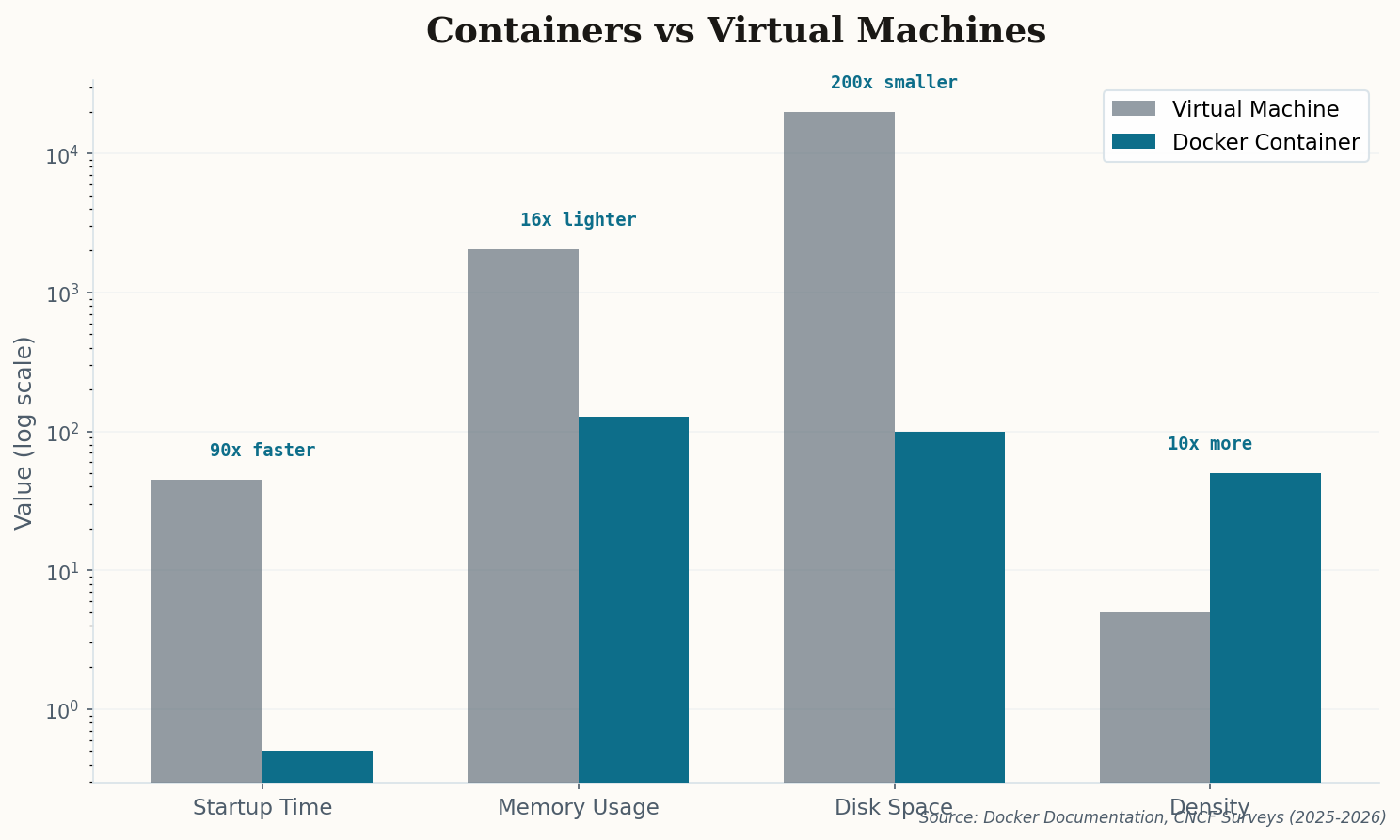
Bar chart comparing containers vs virtual machines across startup time, memory usage, disk space, and density, showing containers are 90x faster to start, 16x lighter on memory, 200x smaller on disk, and 10x more dense
The numbers tell the story. Containers start 90x faster, use 16x less memory, and you can pack 10x more of them onto the same hardware. Source: Docker Documentation, CNCF Surveys 2025–2026.

That's Docker in one sentence: it lets you package your software into a container that runs the same way everywhere. Your laptop, your colleague's laptop, a server in Virginia, a server in Tokyo. Same container, same behavior. The ancient developer curse of "but it works on my machine" dies the moment you containerize your app.

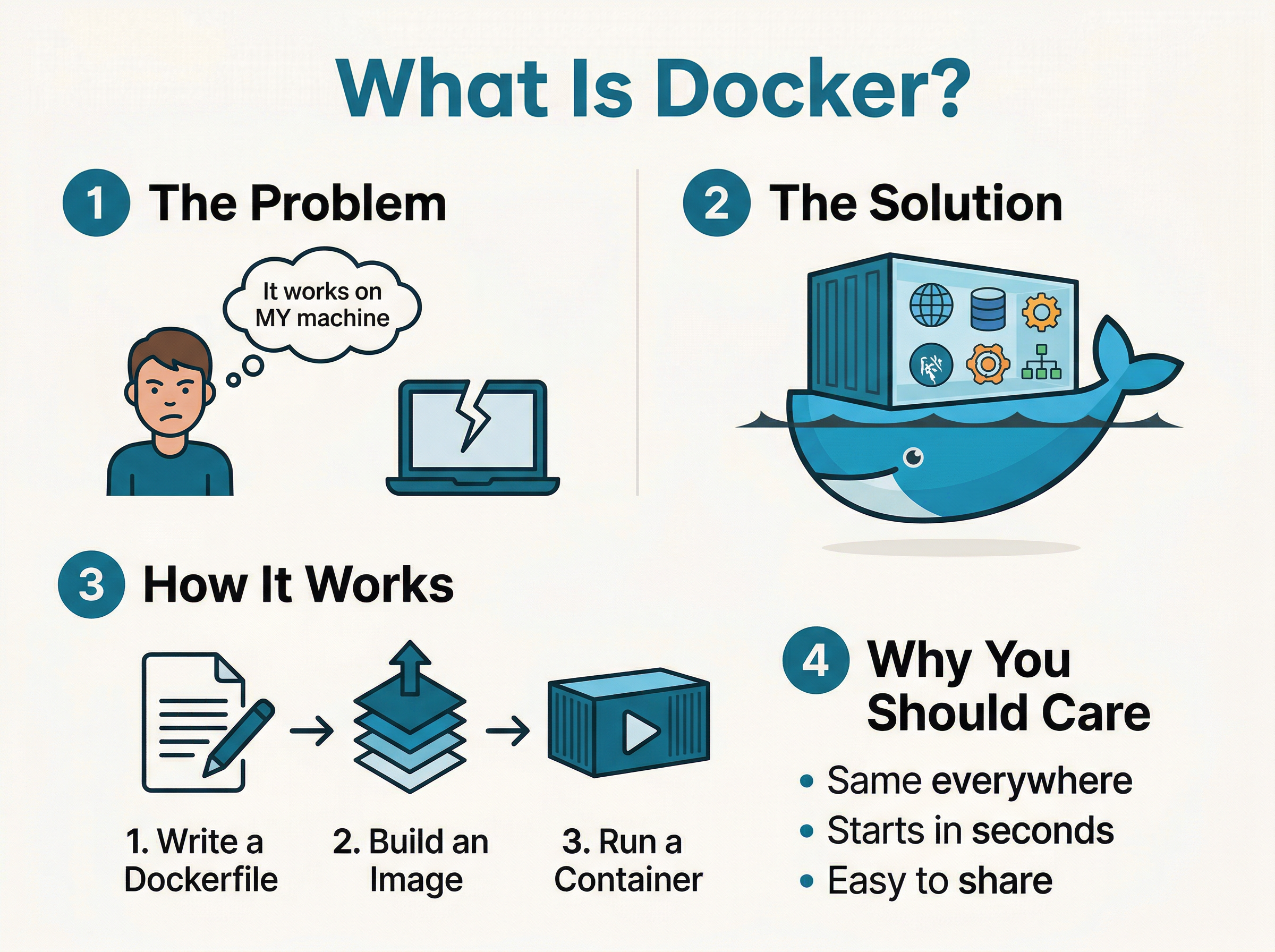
Infographic explaining What Is Docker in 4 steps: The Problem (it works on my machine), The Solution (containers), How It Works (Dockerfile to Image to Container), and Why You Should Care
Infographic: What Is Docker? — The four concepts every beginner needs to understand. Generated with Nano Banana 2.0.

Every section above—the AI assistant, the free image library, the lighter-than-air Wasm containers—is built on this single idea. Docker didn't invent containers. But it made them usable by humans. And 13 years later, 66% of professional developers agree: it worked.

Start Here

If this newsletter gave you the itch to try Docker, here's the shortest path: install Docker Desktop, open a terminal, and type docker run hello-world. That's it. You just ran your first container. Everything else—Dockerfiles, images, volumes, compose files—can wait until you're ready. The whale is patient.