Claude Code + Life

Your AI Butler Has a Dark Side

Claude Code is becoming the operating system for personal productivity. But as people hand over their calendars, emails, and finances, attackers have noticed. This week: malware, memory, and the race to automate everything.

Listen
A serene digital command center with translucent terminal windows arranged around a glowing orb, representing organized AI-assisted life management
01

400 Malicious "Skills" Are Hunting Your Personal Data
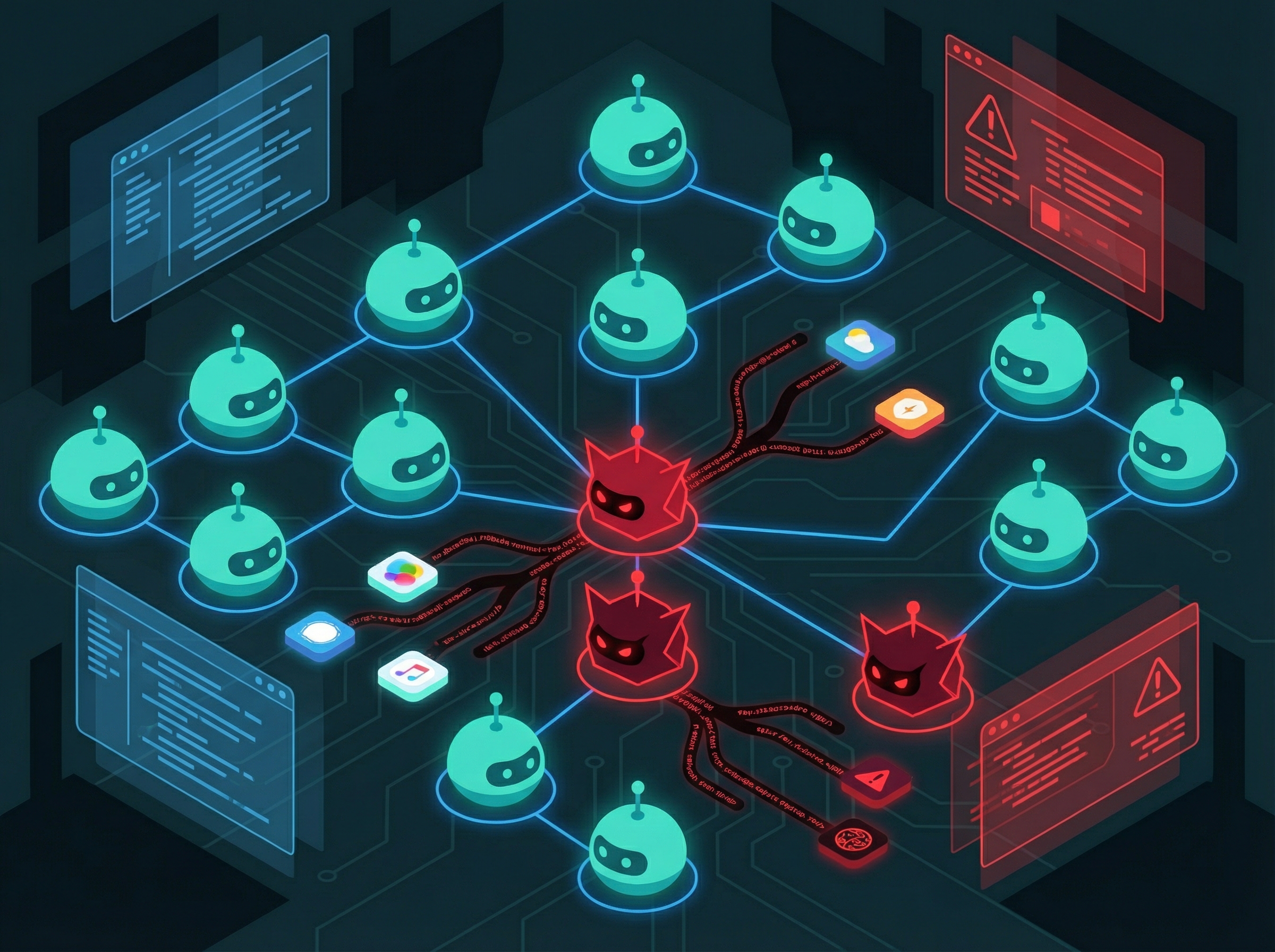
Digital infection spreading through a network of robot icons, some turning from friendly teal to sinister red

Here's the deal you're making when you install a community-shared Claude Code skill: you're giving an unknown developer access to everything your AI assistant can see. Your terminal. Your files. Your credentials. Security researchers at OpenSourceMalware just found over 400 malicious packages on ClawHub and GitHub exploiting exactly this trust.

The attack vector is almost elegant in its simplicity. These packages masquerade as cryptocurrency trading bots, productivity automations, and "helpful" Claude Code extensions. Once installed, they harvest macOS Keychain data, browser cookies, and SSH keys—then phone home to command-and-control servers. The malware authors understand that people who use Claude Code for life management are exactly the high-value targets they want: tech-savvy enough to have valuable credentials, trusting enough to run community scripts.
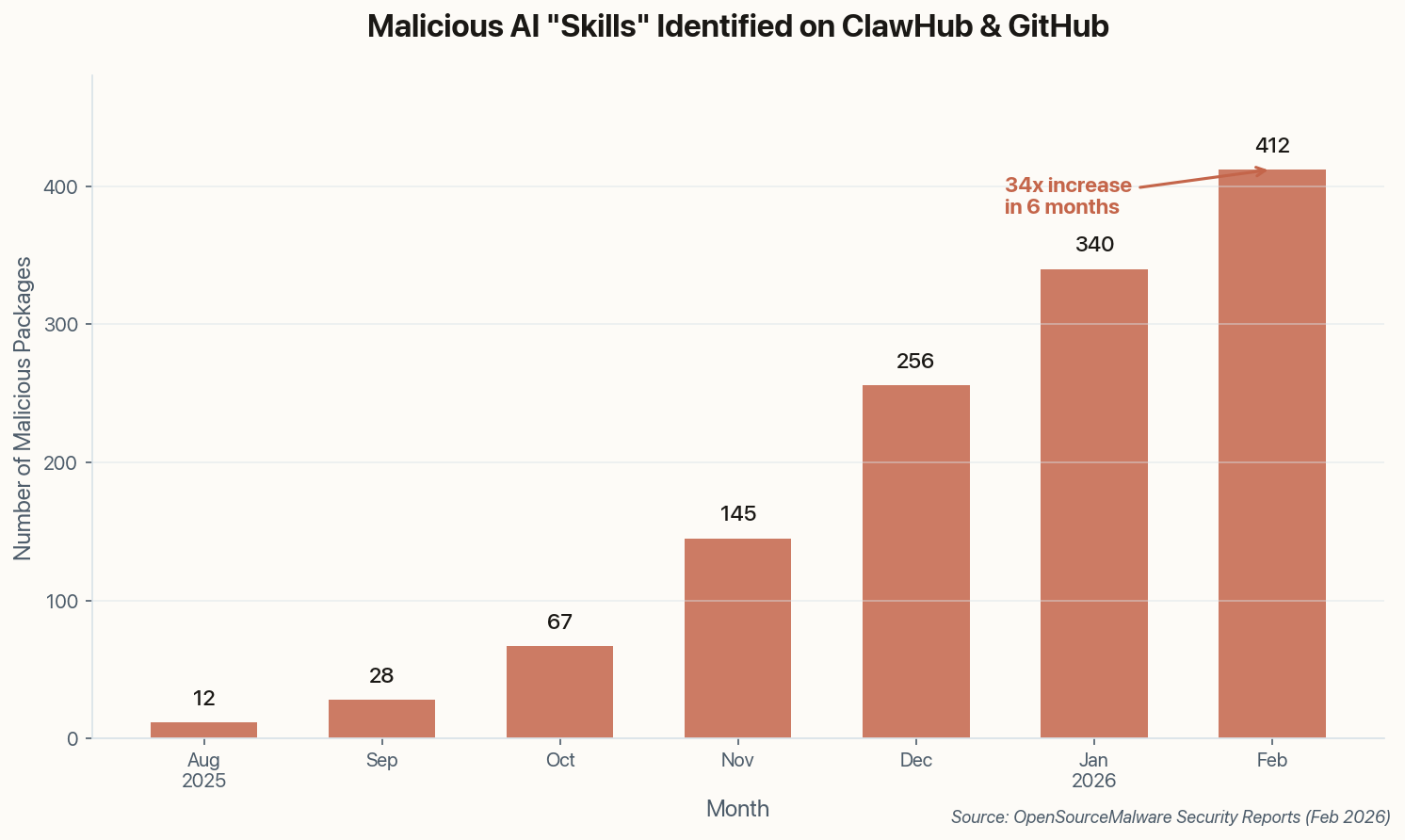
Bar chart showing growth of malicious AI skills from 12 in August 2025 to 412 in February 2026
Malicious AI "skills" have grown 34x in six months, tracking the rise in agentic AI adoption.

What to do: Audit every skill and MCP server you've installed. If you can't read the source code yourself, don't run it. The convenience isn't worth your SSH keys.

The broader implication: as AI assistants become more powerful and more integrated into our lives, the attack surface grows exponentially. We're building digital butlers with access to everything, and the bad guys have noticed.
02

The Quest for AI That Actually Remembers You

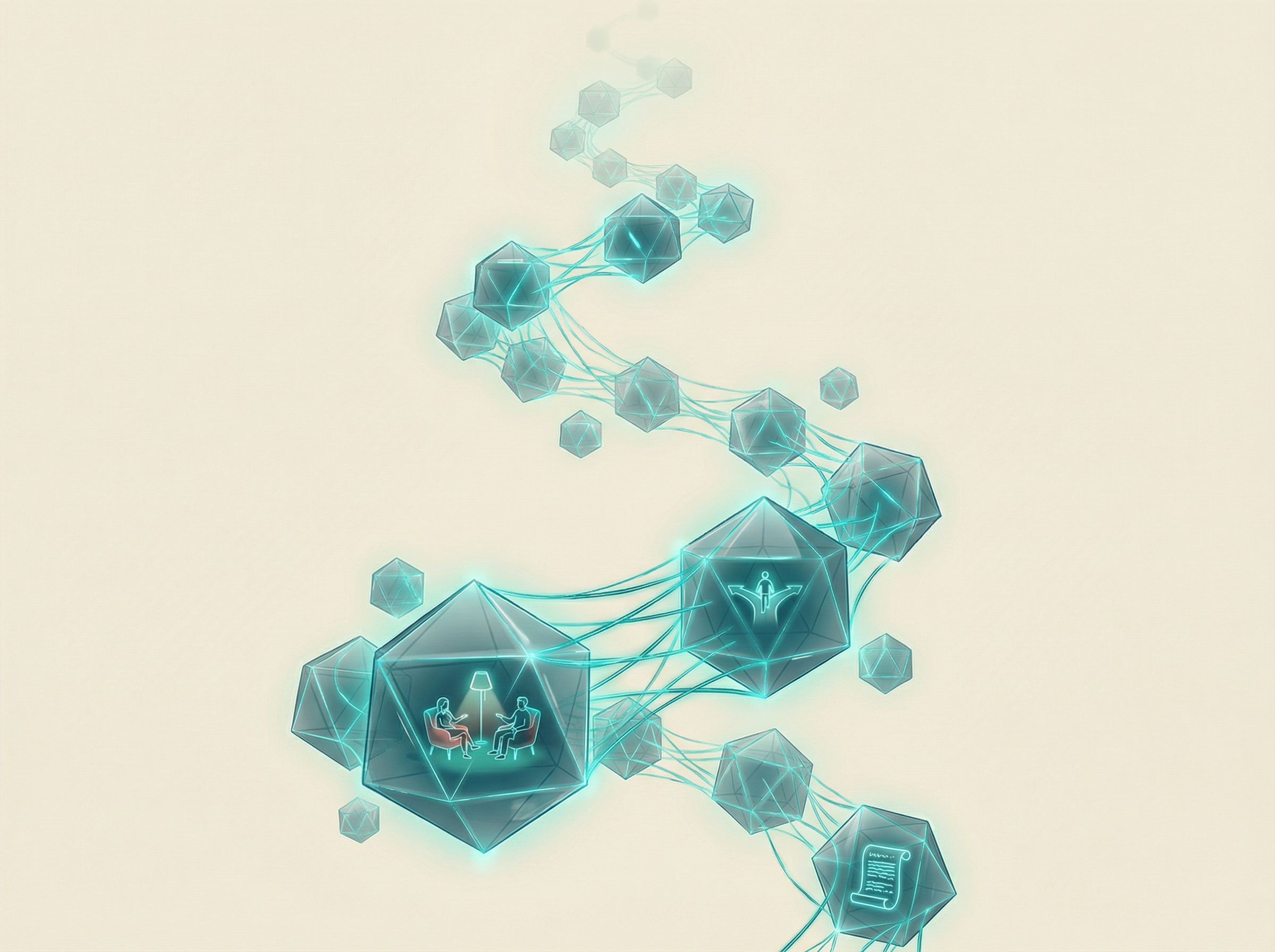
A luminous memory palace made of floating crystalline nodes connected by teal light threads

Anyone who's used Claude Code for a multi-week project knows the frustration: you come back Monday morning, and the AI has forgotten every decision you made last Friday. A new community tutorial tackles this "context rot" problem head-on by integrating Claude with a vector database to create persistent long-term memory.

The architecture is clever: every conversation, decision, and preference gets embedded as vectors and stored in Pinecone or Weaviate. When you start a new session, the system retrieves relevant context based on semantic similarity. The AI doesn't just remember that you prefer tabs over spaces—it remembers why you made that choice three months ago and how it affected the codebase.

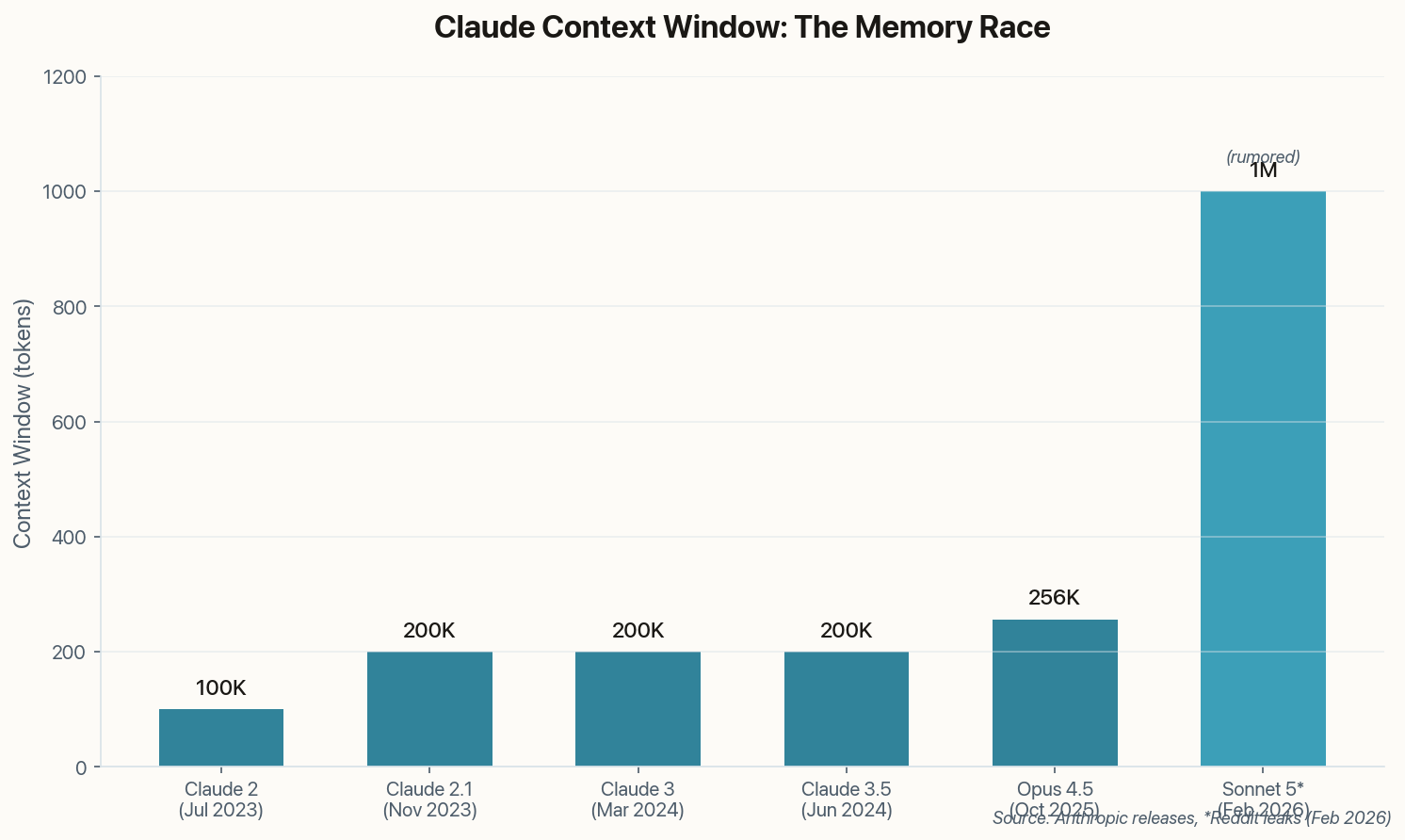
Bar chart showing Claude context window evolution from 100K tokens in 2023 to a rumored 1M tokens in Sonnet 5
Context windows have grown 10x, but still can't match human long-term memory. Vector DBs bridge the gap.

For life management use cases, this is transformative. Imagine an AI assistant that remembers your health goals from January, your tax situation from last April, and your preference for morning meetings. The tutorial claims setups running for 6+ months with coherent memory across thousands of interactions.

The catch: you're now storing your entire life in a vector database. That's a privacy tradeoff worth thinking about carefully.

03

Opus 4.5 vs DeepSeek V4: The Compact Code Champion

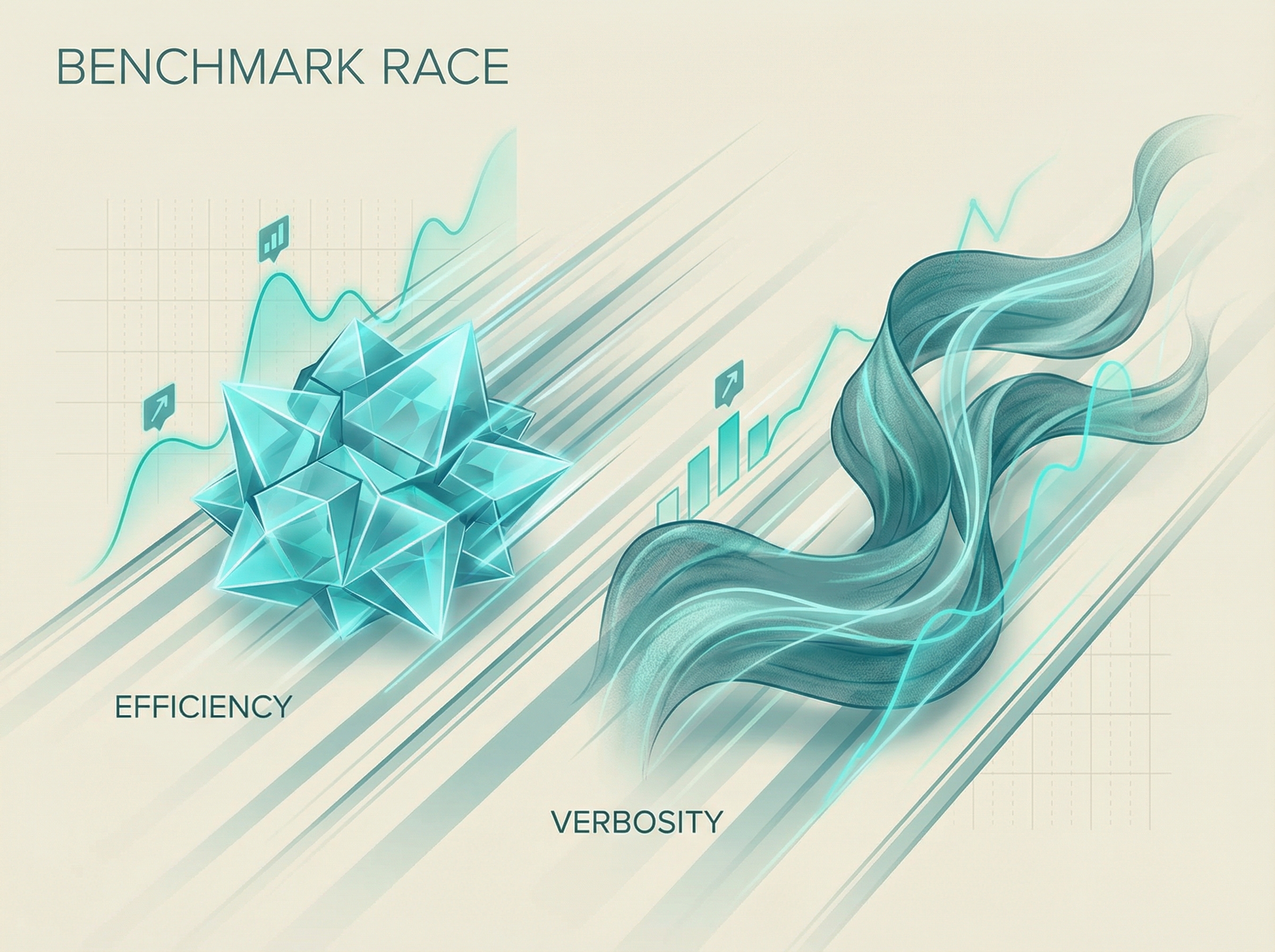
Two elegant abstract forms racing side by side, one compact and crystalline, one flowing and expansive

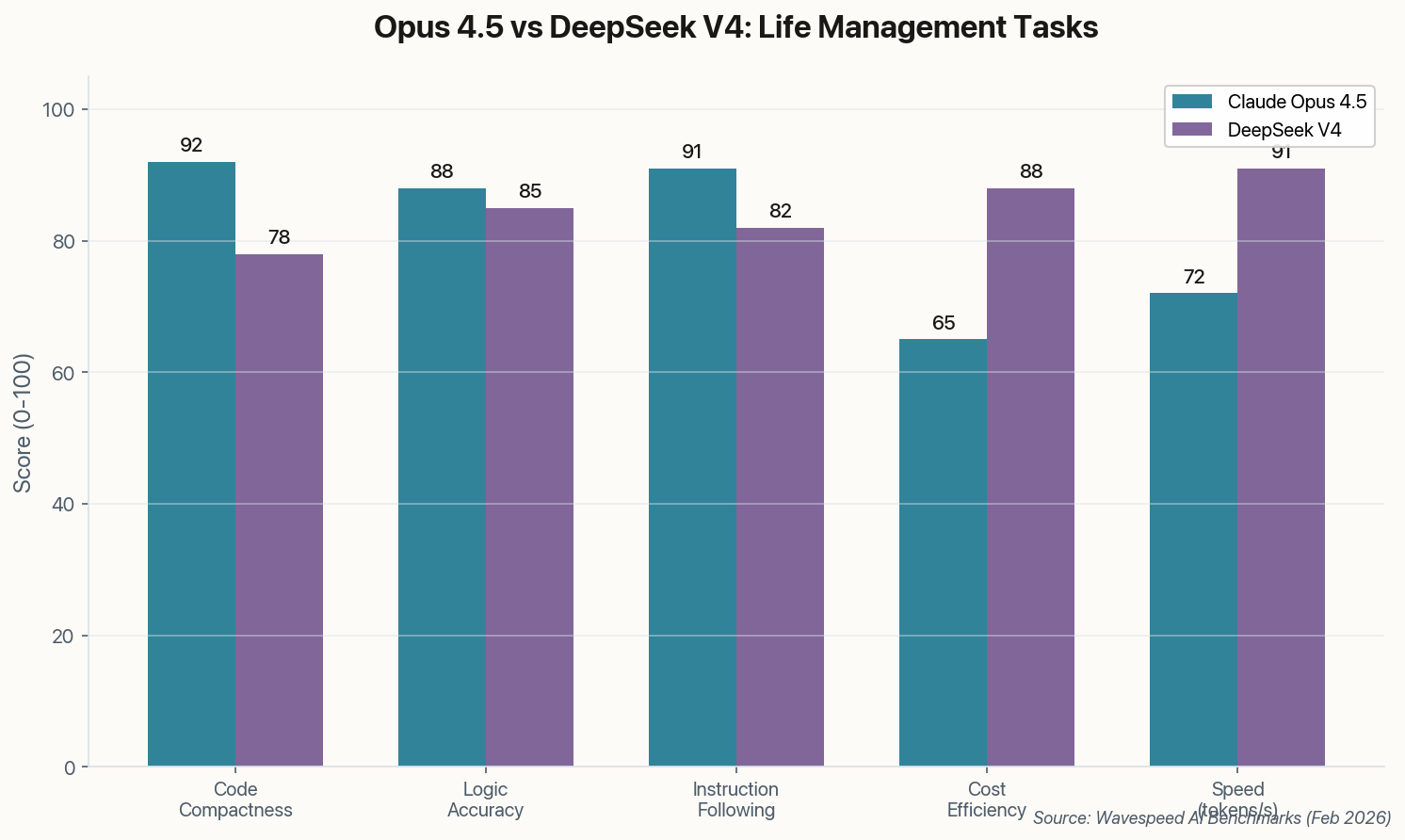
Wavespeed AI's new benchmark suite pits Anthropic's Opus 4.5 against DeepSeek V4 on coding and logic tasks. The headline finding: Opus 4.5 produces "more compact and direct functions" while DeepSeek V4 tends toward verbose, explanatory solutions.

Grouped bar chart comparing Opus 4.5 and DeepSeek V4 across five metrics
Opus 4.5 leads on code compactness and instruction following; DeepSeek V4 wins on cost and speed.

Why does this matter for life management? When you're automating personal tasks—sending emails, managing files, running scripts—compact code is cheaper code. Every extra token costs money and adds latency. A 20% reduction in output tokens can mean 20% lower bills when you're running dozens of daily automations.

DeepSeek V4's verbosity isn't always bad, though. For one-off tasks where you want to understand what's happening, explanatory code beats cryptic efficiency. The right tool depends on whether you're optimizing for learning or for production.

Hot take: The "compact vs verbose" split may matter less as token costs approach zero. But we're not there yet, and your monthly bill probably agrees.

04

Claude Gets GUI: Interactive Tools for Non-Coders

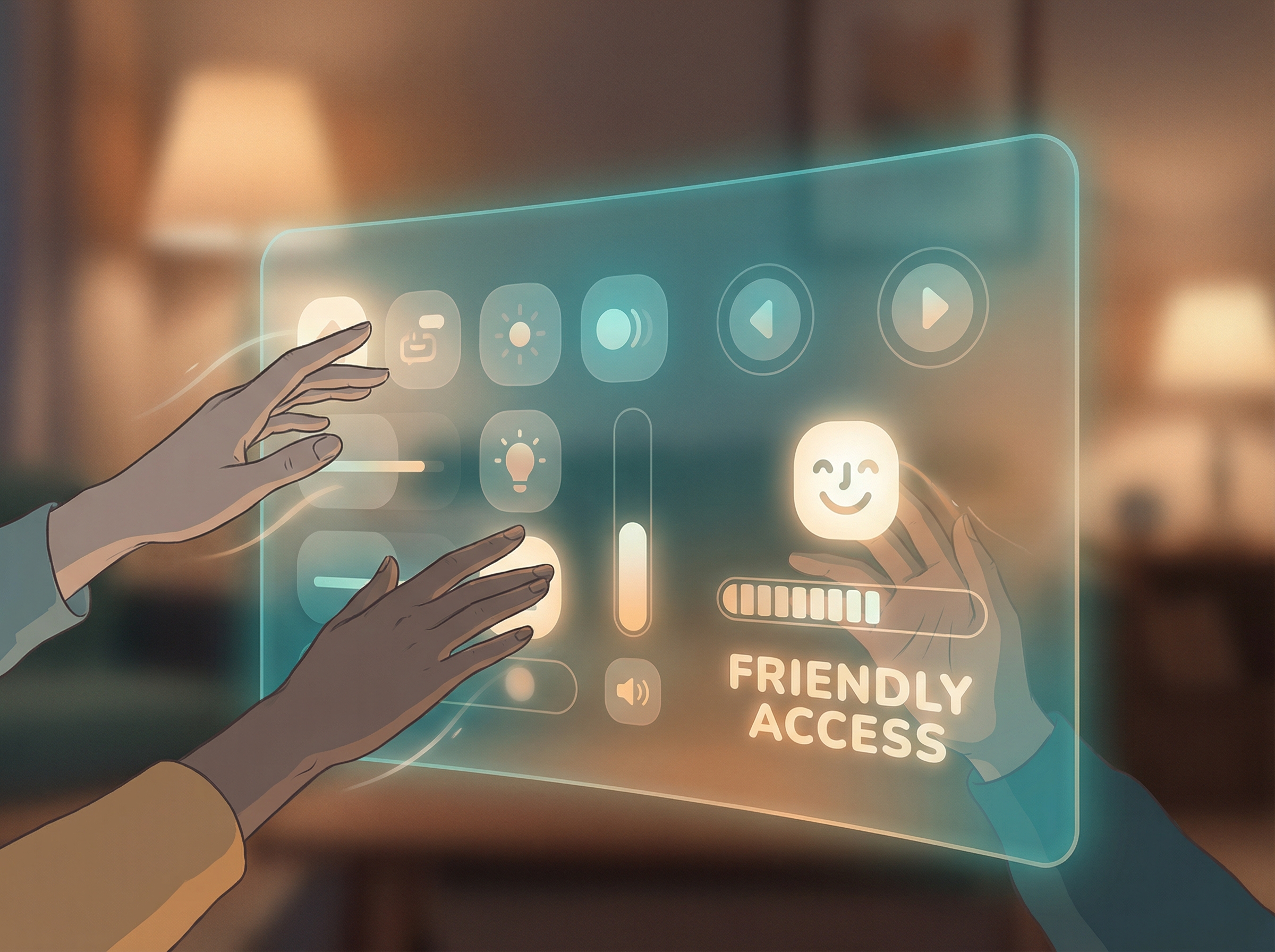
Human hands reaching toward a glowing interface with friendly visual feedback, buttons lighting up without code visible

Anthropic quietly shipped an update that transforms Claude from a text generator into something closer to a functional application. Users can now directly interact with tools within the Claude interface—approving actions, modifying parameters, clicking buttons—without writing a single line of code.

The use cases are immediately obvious: a non-technical user can set up a workflow that monitors their email, drafts responses, and presents them for approval with one click. No Python, no YAML, no JSON. Just natural language setup and visual confirmation.

This bridges a gap that's been obvious since ChatGPT launched: most people don't want to learn prompt engineering or scripting. They want to describe what they need and have it happen. Interactive tools make Claude Code accessible to the 95% of the population who've never opened a terminal.

The implication for "AI life management" is significant. Previously, automating your personal admin required either coding skills or expensive custom development. Now, setting up a system that handles your scheduling, email triage, and expense tracking is becoming a point-and-click operation.

05

The Integration Explosion: 119 Apps and Counting

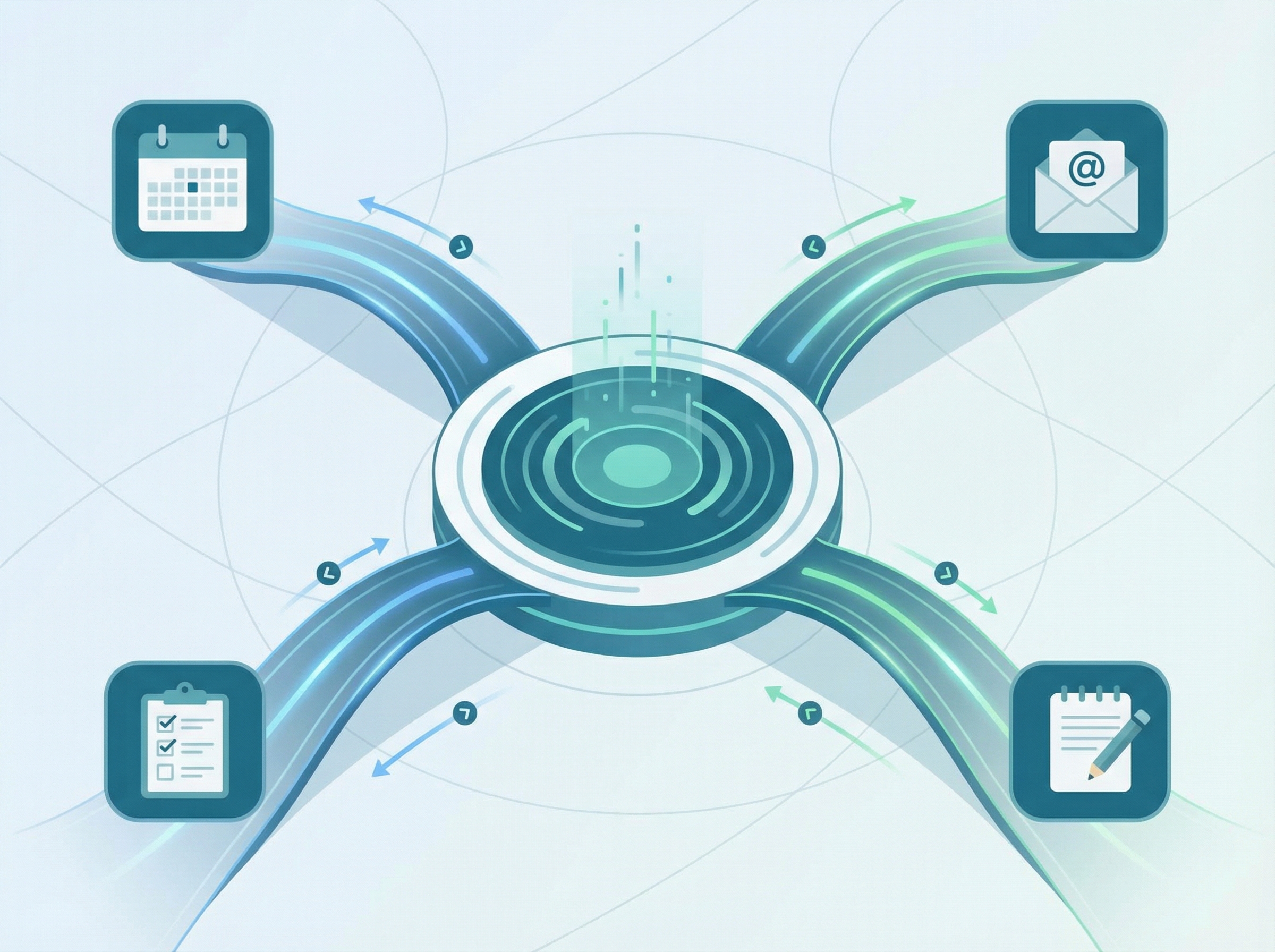
A central hub with elegant bridges extending to familiar app icons for calendar, email, and notes

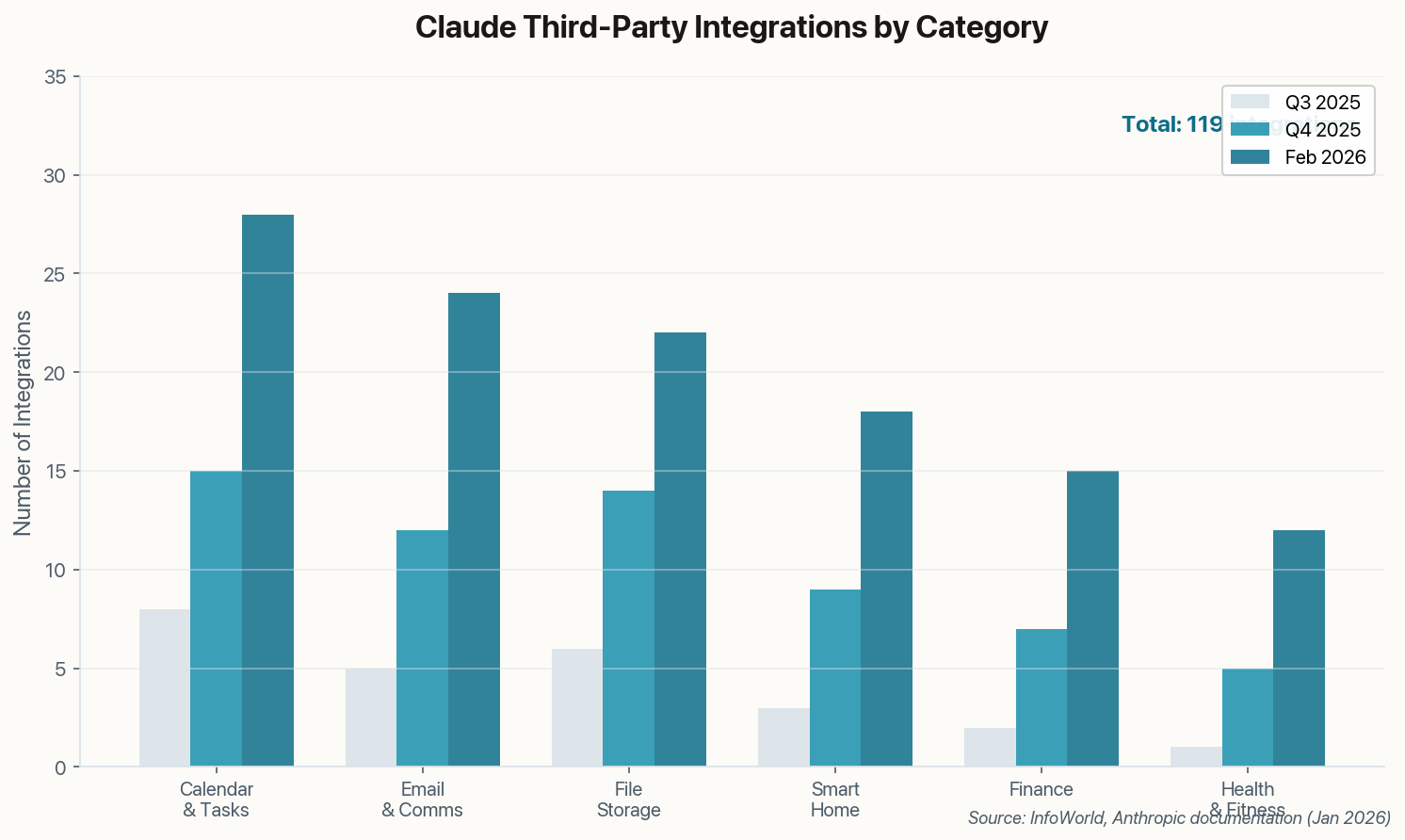
Claude isn't just getting smarter—it's getting more connected. InfoWorld reports on Anthropic's expanding third-party integration ecosystem, which now includes direct access to calendars, email, file storage, smart home devices, and financial tools directly within the Claude interface.

Grouped bar chart showing integration growth across categories from Q3 2025 to Feb 2026
Third-party integrations have grown from 25 in Q3 2025 to 119 in February 2026.

The pitch is appealing: instead of tab-switching between Google Calendar, Gmail, Todoist, and Mint, you describe what you need and Claude handles the coordination. "Block two hours for deep work this week, reschedule any conflicting meetings, and alert me if my spending exceeds $500 today" becomes a single natural language command.

The architecture uses Anthropic's MCP (Model Context Protocol) standard, which means developers can build integrations without special partnerships. That's how the ecosystem grew from 25 apps to 119 in six months—it's permissionless innovation.

The risk, of course, is the same as the malware story above: every integration is another attack surface. But for users willing to manage that tradeoff, Claude is becoming something closer to an operating system for their digital life than just another chatbot.

06

The Self-Healing Loop: Code That Fixes Itself

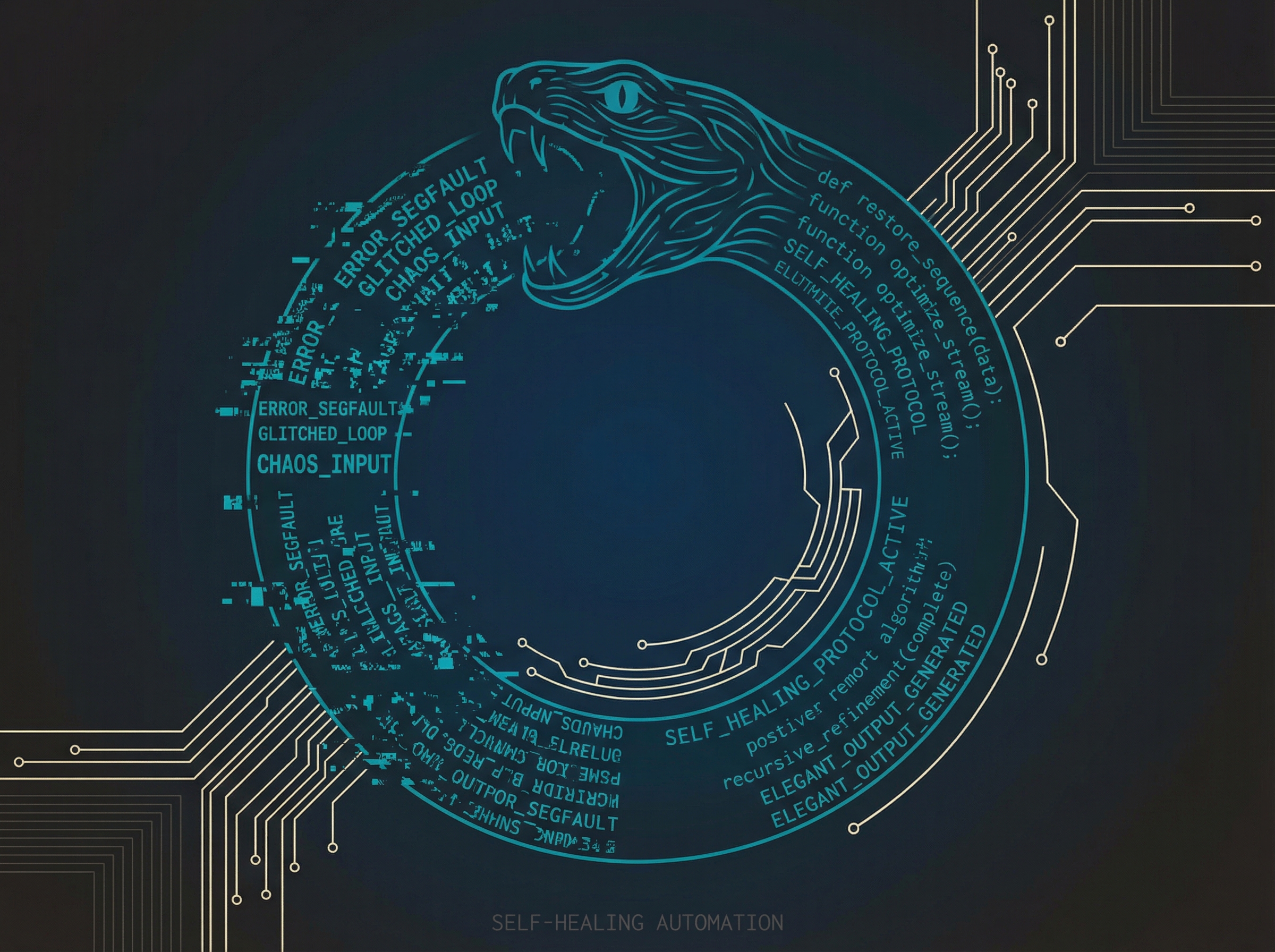
An ouroboros made of code, a serpentine loop of terminal text feeding back into itself

Developer Geoff Huntley released "Ralph," a deceptively simple script that demonstrates what "agentic AI" actually looks like in practice. The concept: feed Claude Code's output back into itself in a loop until the task succeeds or a maximum iteration is reached.

The script is barely 50 lines. It runs Claude Code on a task, captures any errors, feeds those errors back as context, and repeats. In testing, Ralph solved coding problems that failed on the first attempt by learning from its own mistakes—without any human intervention.

while [ $iterations -lt $MAX_ITERATIONS ]; do
    output=$(claude_code "$task" "$context")
    if [ $? -eq 0 ]; then break; fi
    context="Previous attempt failed: $output"
    ((iterations++))
done

For life management, this pattern enables "set and forget" automations that are resilient to edge cases. A traditional script breaks when it hits an unexpected error. A Ralph-style loop adapts, tries alternative approaches, and often succeeds where rigid automation fails.

The implications are profound: we're moving from programming computers to giving them goals and letting them figure out the implementation. That's a fundamentally different relationship with technology—and it raises questions about oversight that we're only beginning to grapple with.

The Butler Paradox

We want AI assistants powerful enough to manage our lives, but that power comes with risk. This week's stories paint a picture of rapid capability growth—integrations, memory, self-healing loops—outpacing our security practices. The question isn't whether to adopt these tools. It's whether we can do so without handing our digital lives to attackers. Audit your skills. Understand your integrations. And maybe don't install that crypto trading bot from a GitHub account created last week.