Buyer's Guide

The Pixel-Perfect Paradox

Six 32-inch Thunderbolt displays for Mac, ranked by someone who's spent too many hours staring at pixels. Spoiler: the answer depends on whether you can see 218 PPI from your chair.

Listen
A sleek 32-inch monitor with Thunderbolt cable forming an elegant arc to a MacBook Pro
01

LG's Thunderbolt 5 Gambit: The First 6K Monitor Ready for the M5 Era
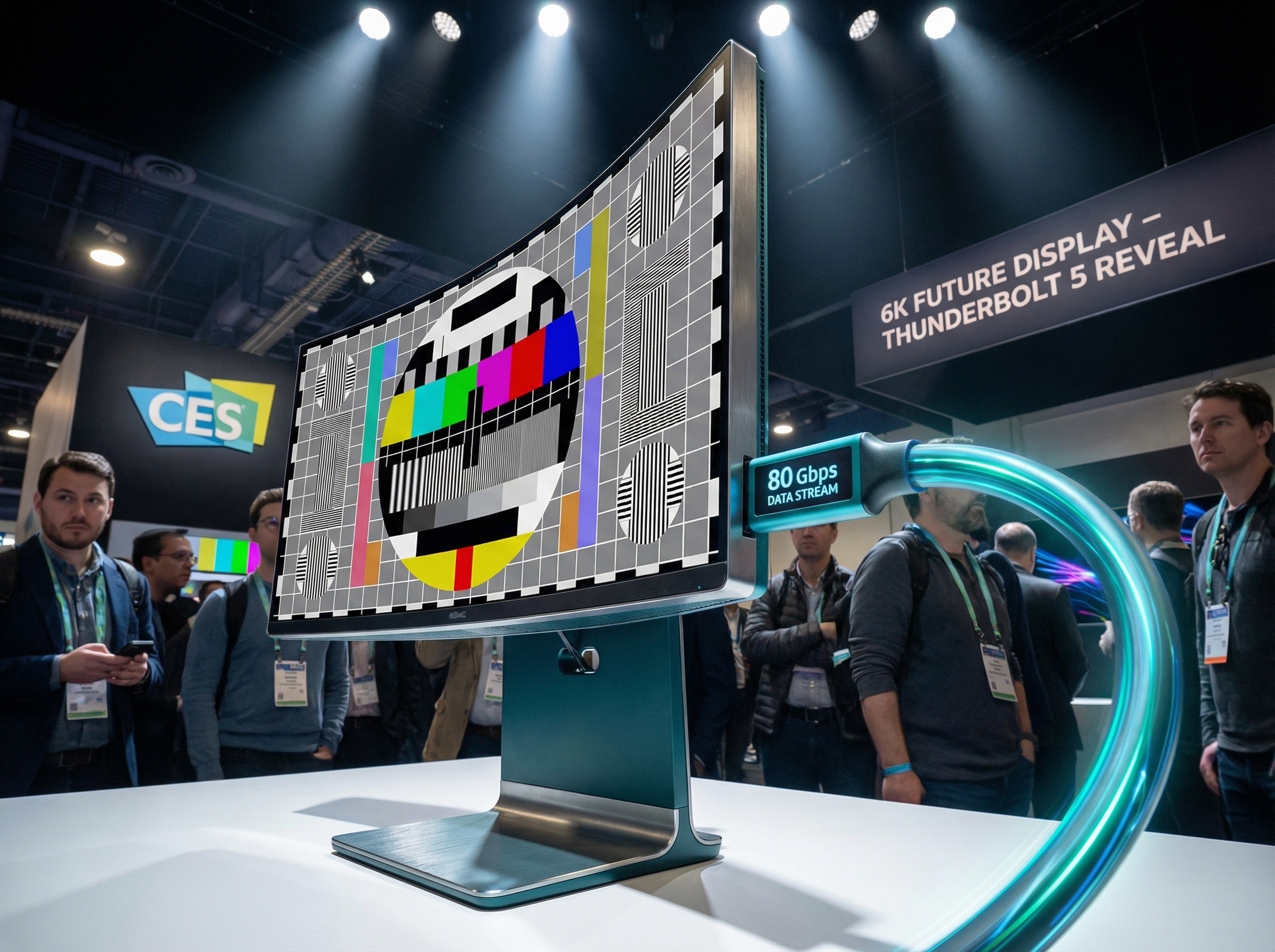
LG UltraFine 32U990A display with futuristic 6K resolution visualization

LG dropped the UltraFine 32U990A at CES 2025, and it's the first monitor to ship with Thunderbolt 5—meaning 80Gbps of bandwidth, enough to drive 6K at 60Hz with room to spare for daisy-chained peripherals. For Mac users waiting on the inevitable M5 Pro MacBook with Thunderbolt 5, this is the display that won't become obsolete the moment you upgrade.

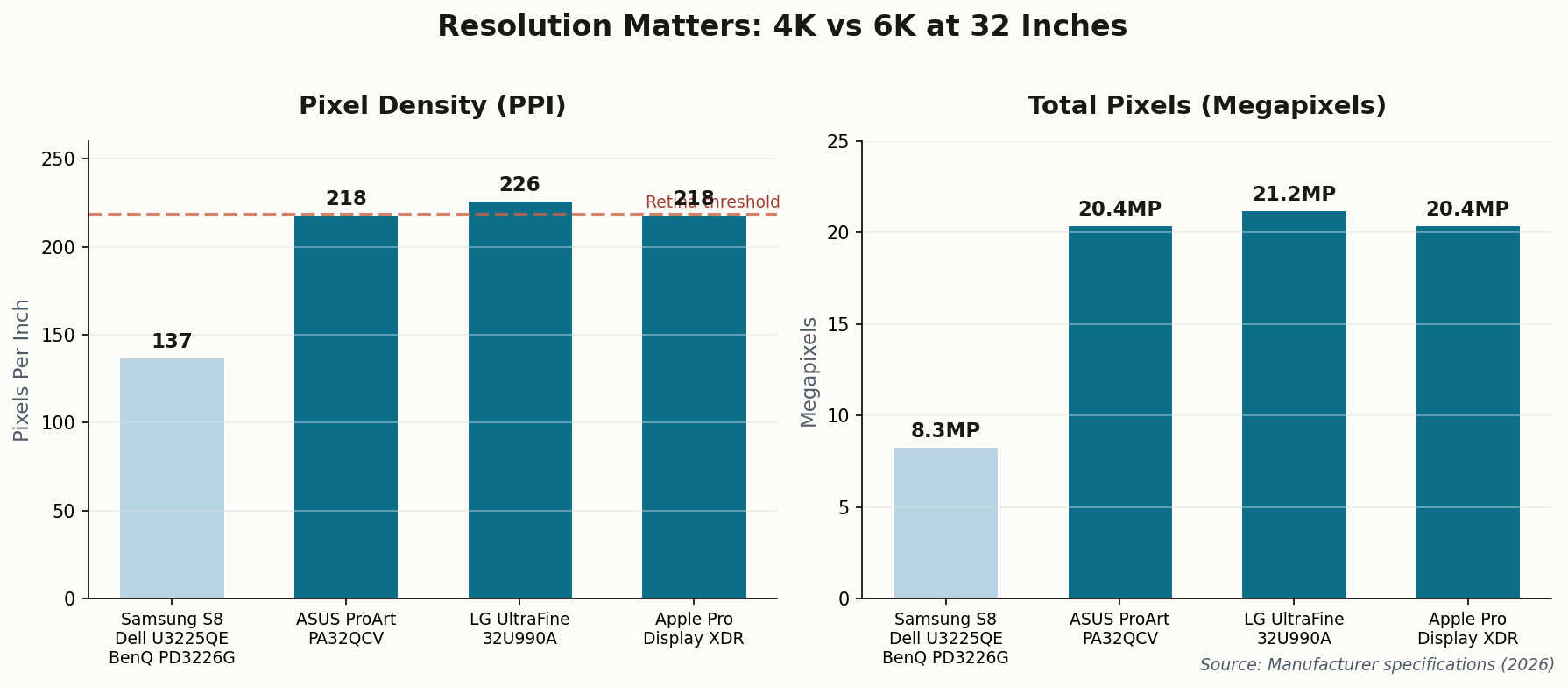
At 6144 × 3456, it offers a pixel density of 226 PPI—slightly higher than Apple's own Retina standard. The Nano IPS Black panel delivers 2000:1 contrast (roughly 2x typical IPS), and there's an auto-calibrating colorimeter built in. LG is targeting the same professional crowd that currently pays $5,000 for the Pro Display XDR.

The Verdict

At an estimated $2,000–$3,000, it's a significant investment—but it's the only 32-inch display that's genuinely future-proof. If you're planning to keep your monitor through two Mac generations, this is the one.
02

ASUS Crashes the 6K Party at Half the Price

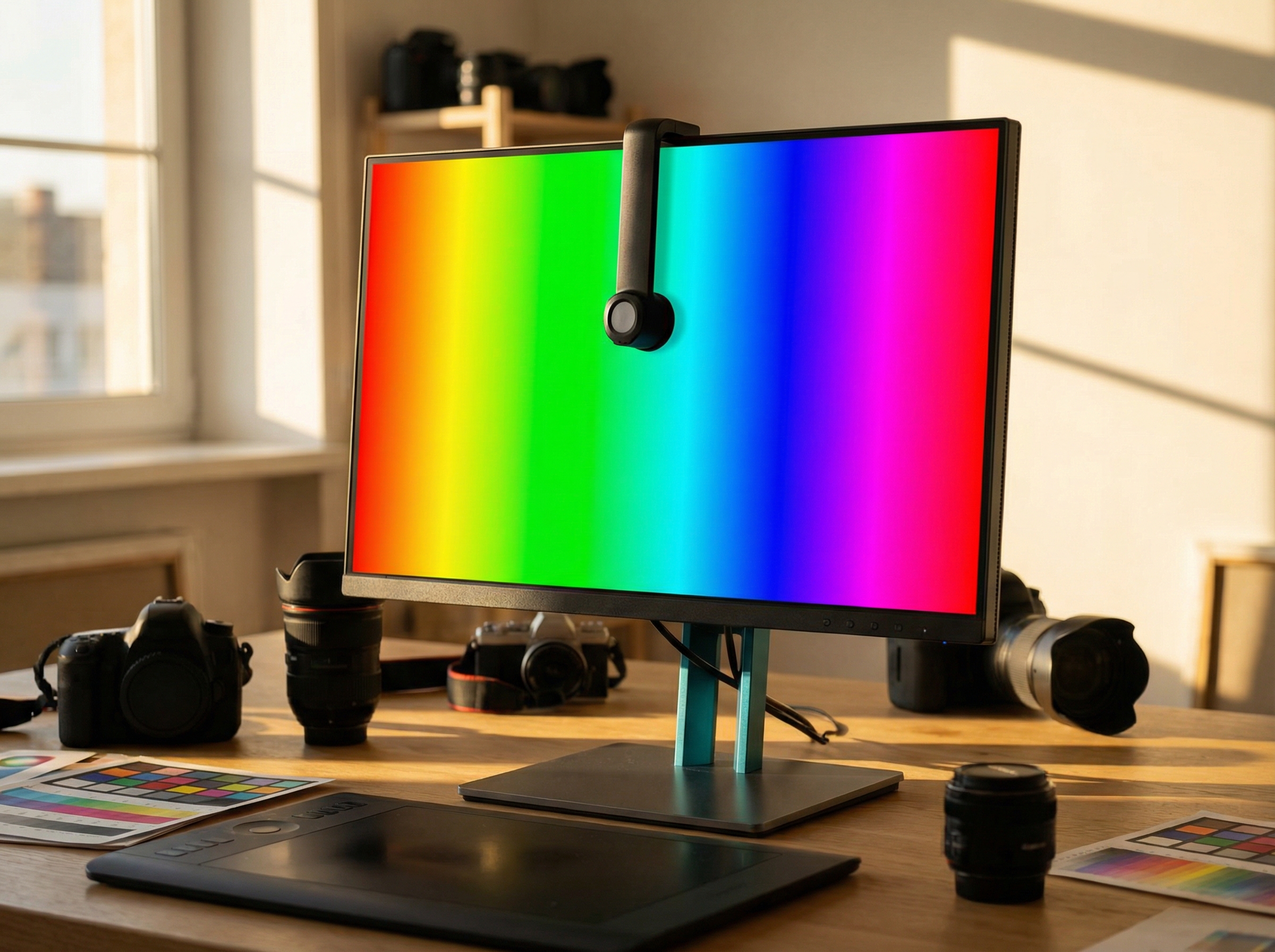
ASUS ProArt display with colorimeter and calibration visualization

The ProArt PA32QCV is the display that makes you wonder what you're actually paying for with Apple hardware. At $1,299, it delivers 6K resolution (6016 × 3384), Thunderbolt 4 with 96W power delivery, and a built-in colorimeter for automatic self-calibration.

ASUS's "LuxPixel" anti-glare coating deserves special mention—it creates a paper-like matte surface that virtually eliminates reflections without the graininess of older matte displays. If you work near windows or can't control your lighting, this matters more than you think.

Chart comparing resolution and PPI across different monitors
Resolution comparison: 6K monitors deliver 218+ PPI (Retina-equivalent), while 4K at 32" drops to 137 PPI—noticeable in fine text.

The catch? Build quality feels distinctly "not Apple." The stand is functional but plasticky, and the OSD menu navigation will make you appreciate how good Apple's spatial audio controls are. But at this price point, those are acceptable trade-offs for creative professionals who need calibrated color.

The Verdict

Best value in the 6K segment. If you're a photographer, video editor, or designer who wants Retina-equivalent density without the Apple tax, this is your monitor.

03

Dell's Workhorse Gets a 120Hz Upgrade

Dell UltraSharp U3225QE with ultra-thin bezels and multiple ports visible

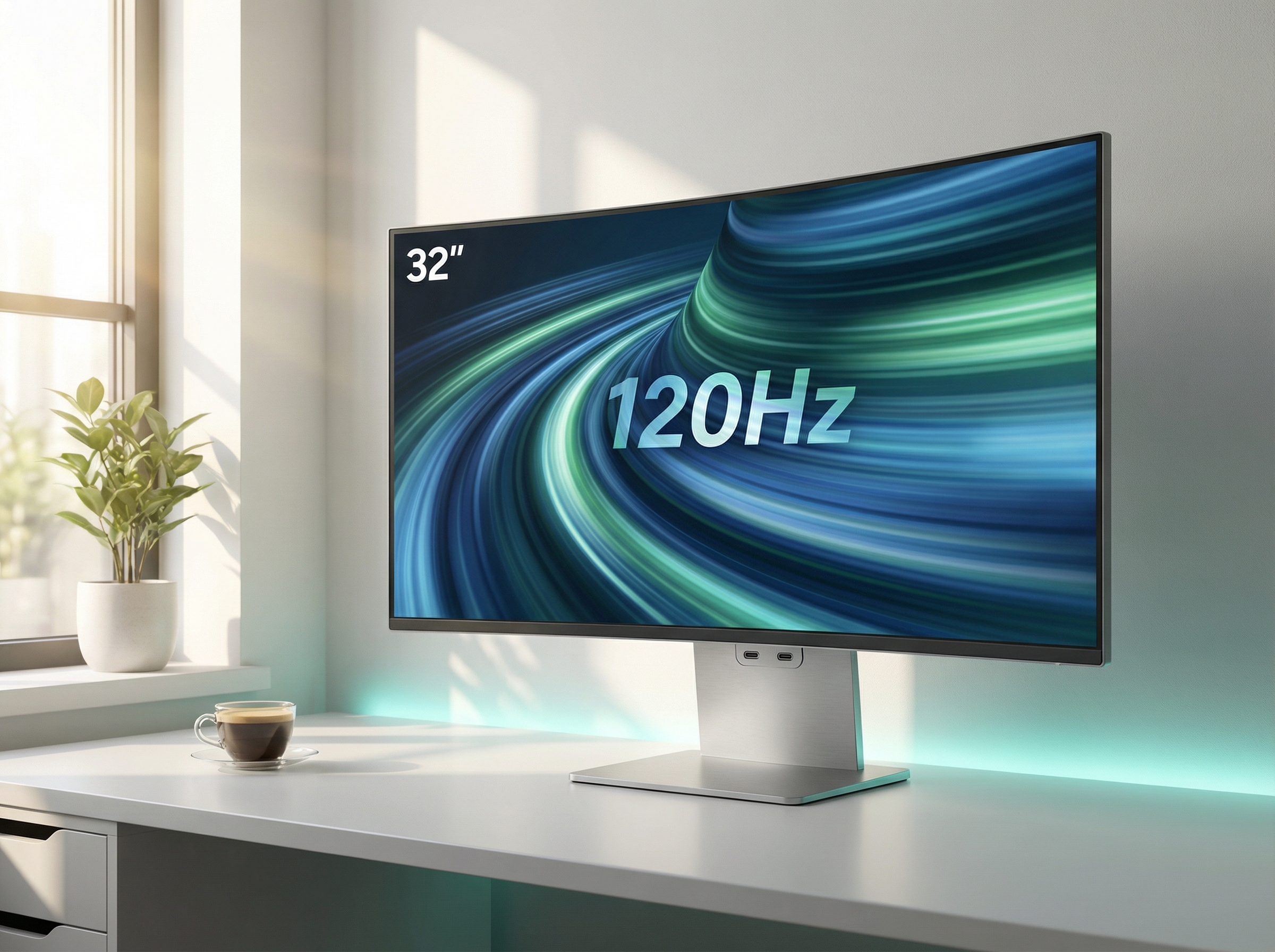
The Dell UltraSharp U3225QE is the successor to the beloved U3223QE, and Dell finally addressed the one complaint everyone had: refresh rate. The new model runs at 120Hz—and yes, you can feel it in every scroll, every cursor movement, every window drag.

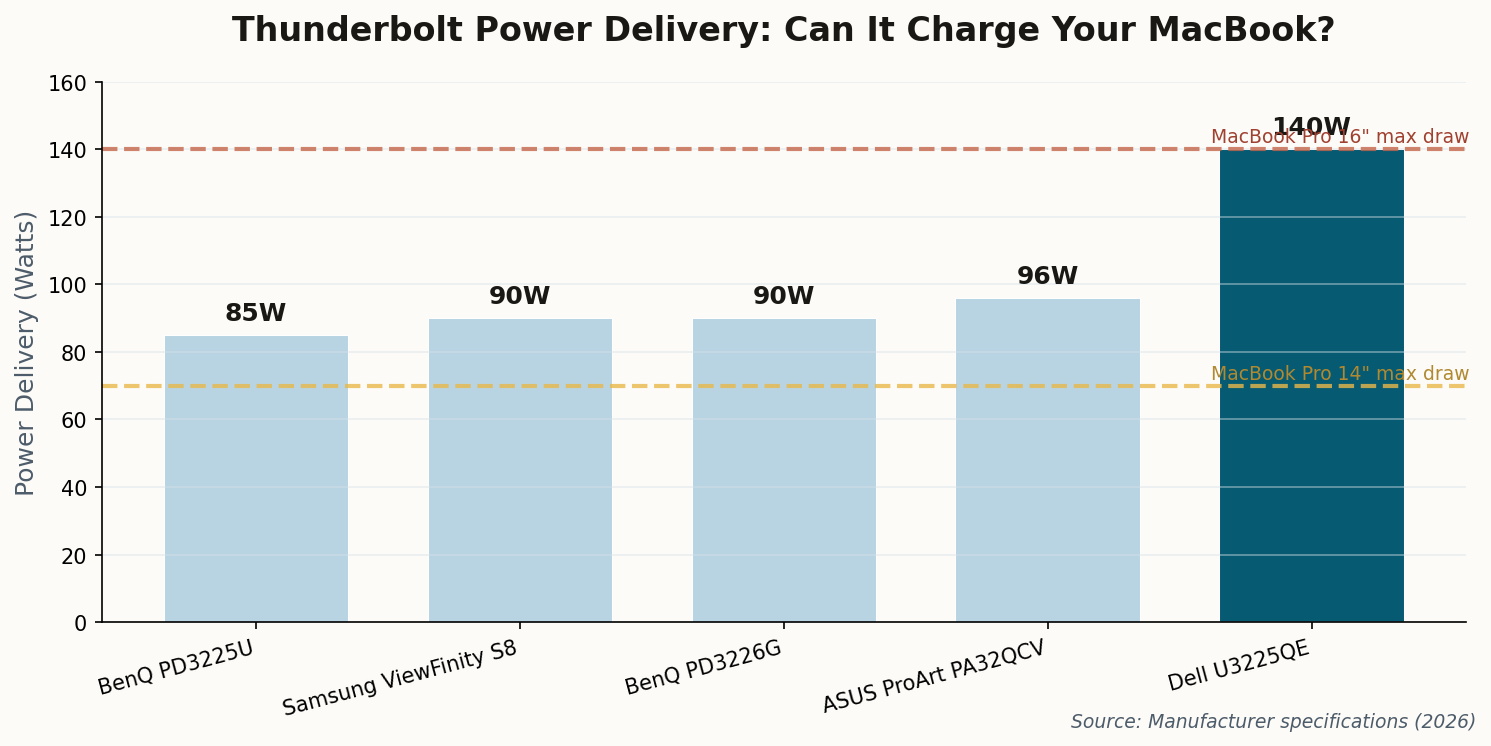
It's "only" 4K (3840 × 2160), which at 32 inches means 137 PPI—below Apple's Retina threshold. But here's the thing: if you sit 28+ inches from your screen (as most people do), the difference between 137 and 218 PPI is hard to see. What you will notice is the 140W power delivery—enough to charge a 16-inch MacBook Pro at full speed, even under load.

Chart comparing power delivery wattage across Thunderbolt monitors
Power delivery varies wildly. Only the Dell U3225QE can charge a 16" MacBook Pro at full draw without slowly depleting the battery.

The IPS Black panel delivers 2000:1 contrast—the same deep blacks as the OLED-adjacent panels in premium monitors. Combined with the built-in Thunderbolt hub (Ethernet, USB-A, daisy-chain), this is the single-cable dream realized.

The Verdict

At $850–$1,000, the U3225QE is the best all-around choice for productivity users. You lose pixel density but gain refresh rate, power delivery, and a Thunderbolt hub that actually works. For most people, this is the right trade-off.

04

BenQ's "Made for Mac" Bet

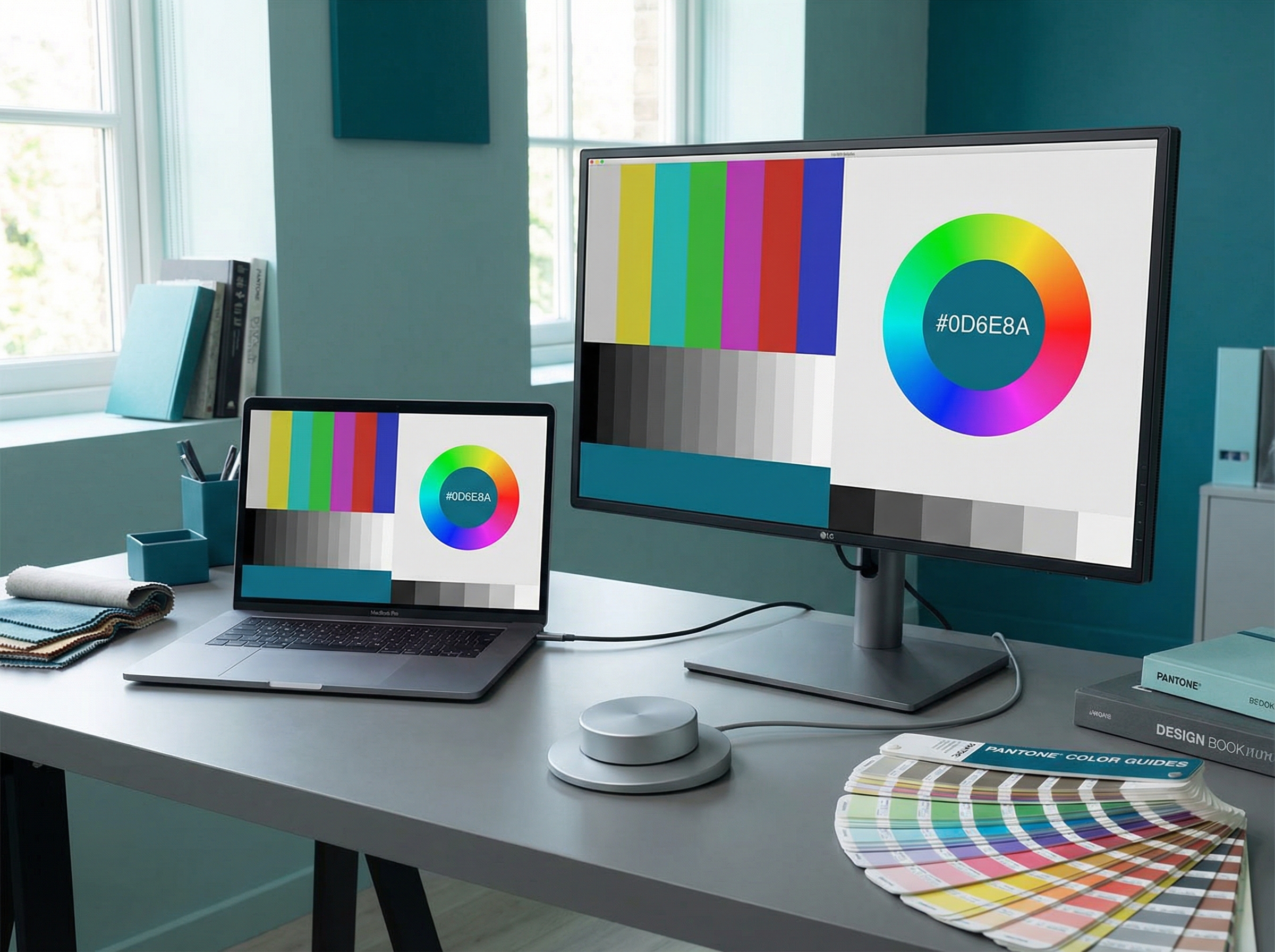
BenQ monitor showing matched colors with MacBook Pro

BenQ has leaned hard into the Mac ecosystem with the PD3226G, and it shows. The headline feature is "M-Book" mode—a color profile specifically tuned to match the P3 color space and gamma curve of MacBook Pro displays. Put them side by side, and they're remarkably consistent.

The Hotkey Puck G2 deserves mention: it's a physical dial that sits on your desk for brightness, volume, and input switching. In an age of terrible OSD menus and invisible software controls, having a tactile dial is weirdly satisfying. Designers in particular seem to love it.

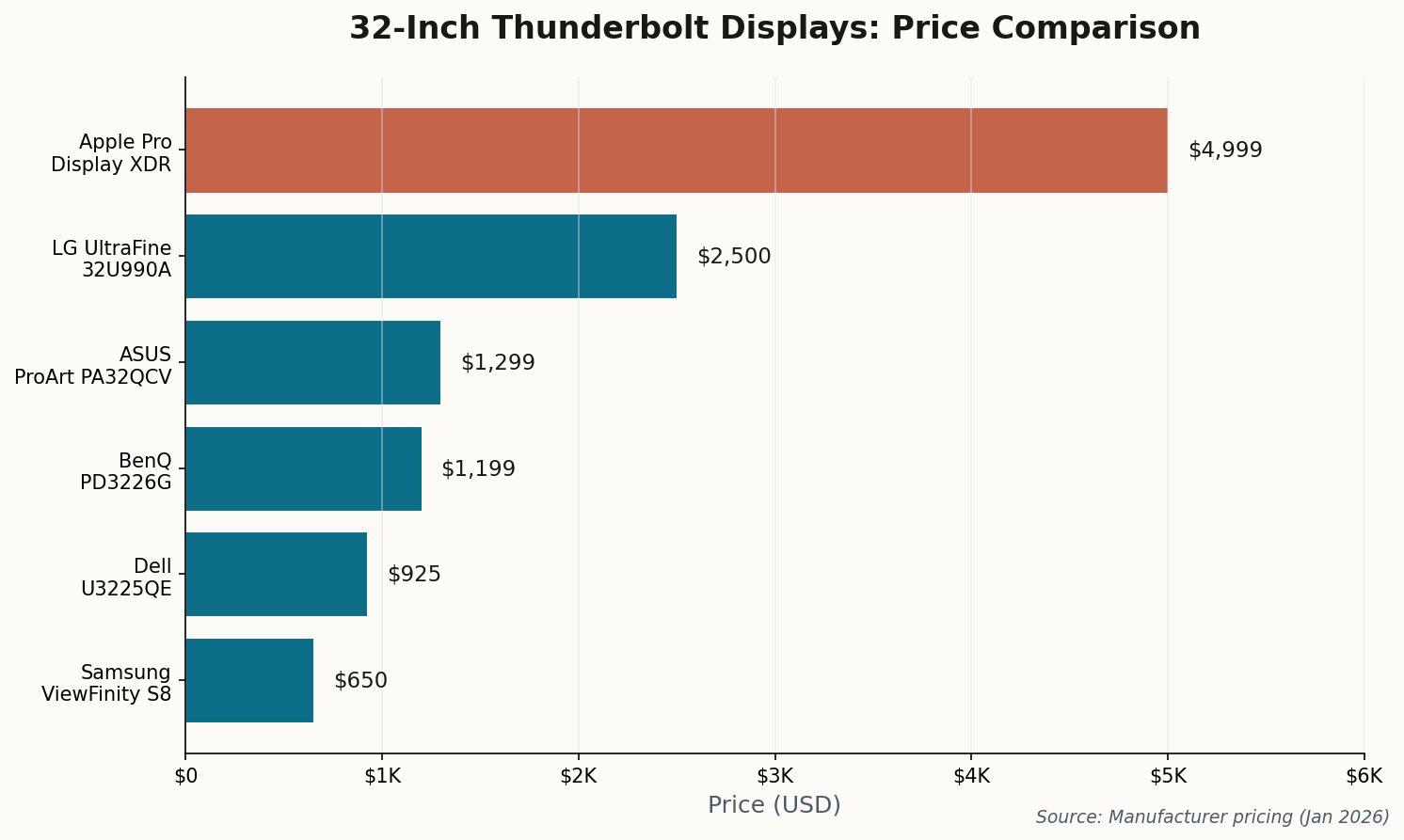
Horizontal bar chart showing prices from $650 Samsung to $4,999 Apple Pro Display XDR
Price spans from $650 (Samsung ViewFinity S8) to $4,999 (Apple Pro Display XDR). The sweet spot for most users is $900–$1,300.

At $1,099–$1,299, it's priced competitively with the Dell, though you lose the 120Hz refresh rate (it's standard 60Hz) and the power delivery is lower at 90W. The build quality is excellent—this feels like a premium product in a way the ASUS doesn't quite achieve.

The Verdict

If color matching with your MacBook is your primary concern—and you're willing to pay a premium for build quality and that delightful control puck—the BenQ delivers. Just know you're trading refresh rate for refinement.

05

Samsung's Budget Thunderbolt 4 Surprise

Samsung ViewFinity S8 in minimalist home office setup

At $600–$700, the Samsung ViewFinity S8 (S80TB/S80UD) is the cheapest way to get true Thunderbolt 4 connectivity with 90W power delivery. For many buyers, that alone ends the search.

It's a 4K panel with a matte coating, decent color accuracy (99% sRGB, not P3), and the full Thunderbolt hub functionality you'd expect—Ethernet, USB-A passthrough, daisy-chaining. Text is sharp. Colors are accurate enough for office work. The 60Hz refresh rate is fine if you've never experienced 120Hz.

The honest truth: If you're not doing color-critical work and you sit a normal distance from your screen, the Samsung delivers 90% of the experience at 60% of the price. Most people won't know what they're missing.

Where it falls short: the stand wobbles more than you'd like, the plastic construction feels dated compared to Dell's aluminum, and Samsung's OSD software is a minor nightmare. But these are livable compromises at this price point.

The Verdict

Best budget option, no contest. If you need Thunderbolt 4 and you're not made of money, start here. Upgrade later when your needs (or budget) evolve.

06

The Reference Standard (That Most People Shouldn't Buy)

Apple Pro Display XDR in professional color grading suite

The Pro Display XDR exists in a category of its own. At $4,999 (plus $999 for the stand, because Apple), it's not a consumer product—it's a professional reference monitor that happens to be made by Apple.

The HDR performance is genuinely unrivaled: 1,600 nits peak brightness, 576 local dimming zones, and the nano-texture glass option that eliminates reflections without the drawbacks of matte coatings. For HDR video grading, it's the standard against which other displays are measured.

But here's the catch: the Pro Display XDR launched in 2019. It uses Thunderbolt 3 (not 4 or 5). It runs at 60Hz. It has no webcam, no speakers (well, no good speakers), and no ambient light sensor. Apple has essentially abandoned it while collecting checks from production houses that need reference-grade HDR.

The Verdict

If you grade HDR content for Netflix or Apple TV+, you already own one. Everyone else should look at the LG UltraFine 6K or ASUS ProArt—they deliver 80% of the image quality at 20–25% of the price.

The Short Answer

For most Mac users: Dell U3225QE ($925). For creatives who need 6K: ASUS ProArt PA32QCV ($1,299). For future-proofing: wait for the LG UltraFine 32U990A. For tight budgets: Samsung ViewFinity S8 ($650). Skip the Apple unless you're literally grading Hollywood films.