Desktop Development

The Weight of Your Choices

Tauri, Electron, or SwiftUI for your next macOS app? The answer depends on which trade-offs keep you up at night.

Listen
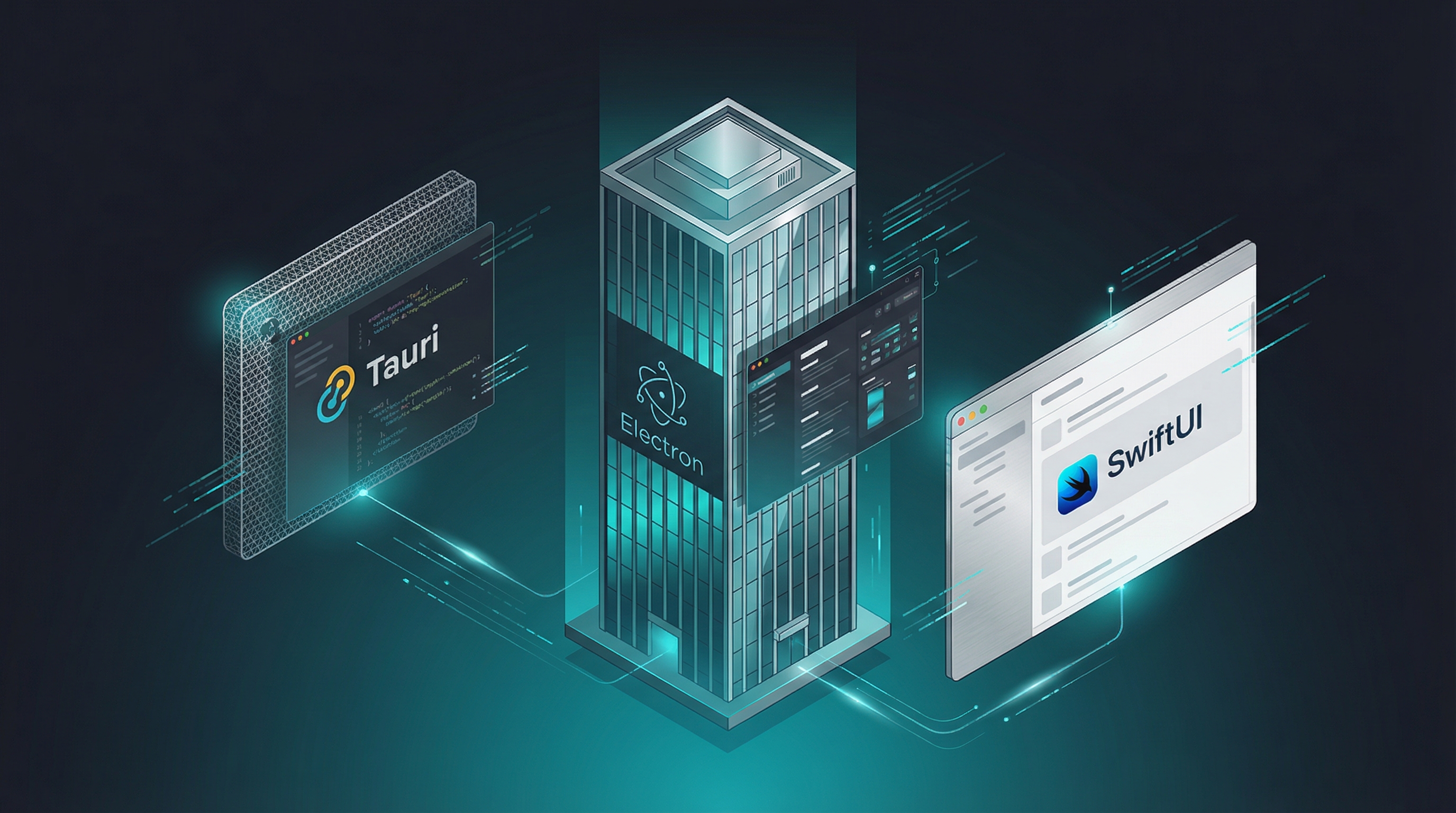
Three desktop application paradigms visualized: lightweight Tauri, heavyweight Electron, and native SwiftUI
01

Your "Hello World" Ships with a Whole Browser
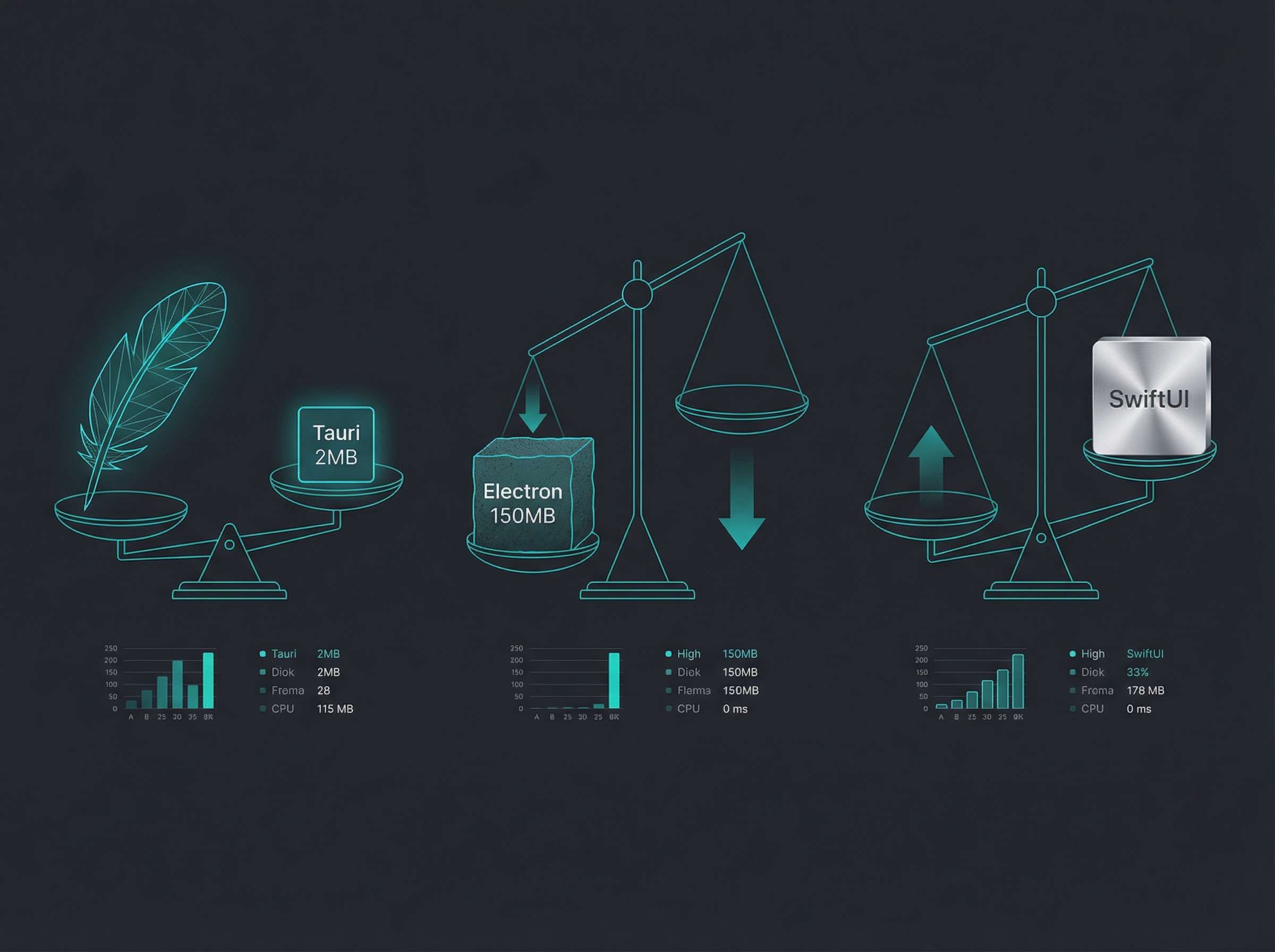
Visual comparison of application bundle weights

When you tell users to download your shiny new app, you're asking them to commit disk space to your vision. Electron asks for 80–150 MB minimum—before you've written a single line of your own code. That's because every Electron app bundles its own copy of Chromium and Node.js. Your "simple" notes app ships with a web browser.

Tauri takes a fundamentally different approach. By using the operating system's native WebKit (already installed on every Mac), a Tauri app can ship at 2–10 MB. That's not a typo—we're talking about a 15x–75x reduction in download size. SwiftUI apps, compiled to native binaries with no runtime overhead, come in even leaner at under 5 MB.
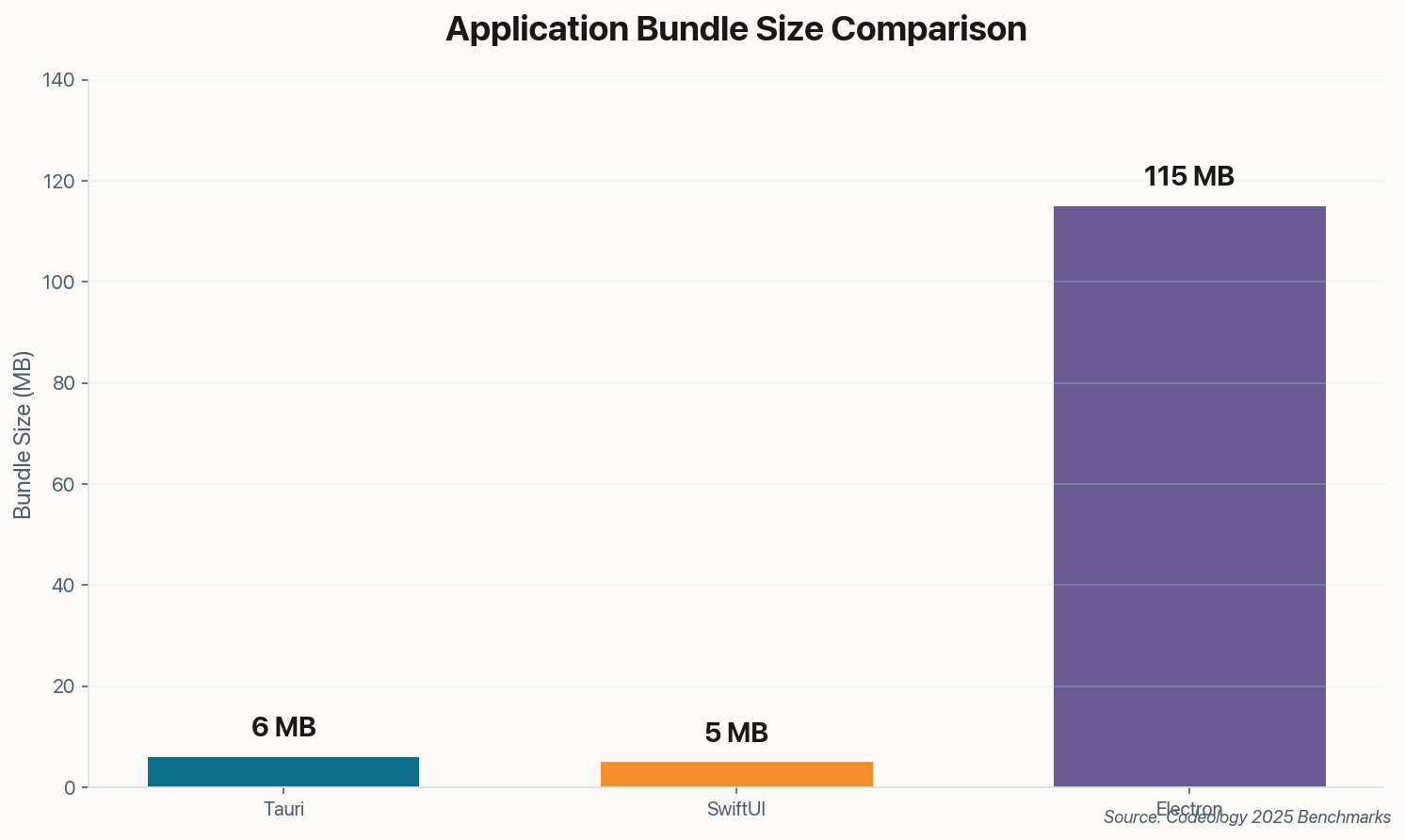
Bundle size comparison: Tauri 6MB, SwiftUI 5MB, Electron 115MB
Average installer sizes. Electron's Chromium dependency creates a hard floor that no optimization can breach.

Why does this matter beyond download time? Because bundle size is a proxy for complexity. More code means more attack surface, more memory consumption, and more things that can break when macOS updates. The developers at 1Blocker learned this when they migrated from Electron to Tauri and saw a 50% size reduction—plus the performance gains that came with it.

02

RAM Is Not Free, and Your App Isn't Alone

Developer workspaces showing different framework tooling

Here's a scenario that plays out on MacBooks everywhere: you open Slack, then Discord, then VS Code, then Figma. Congratulations—you now have four separate instances of Chromium eating your RAM. Each Electron app sits at 150–300 MB of memory while doing absolutely nothing.

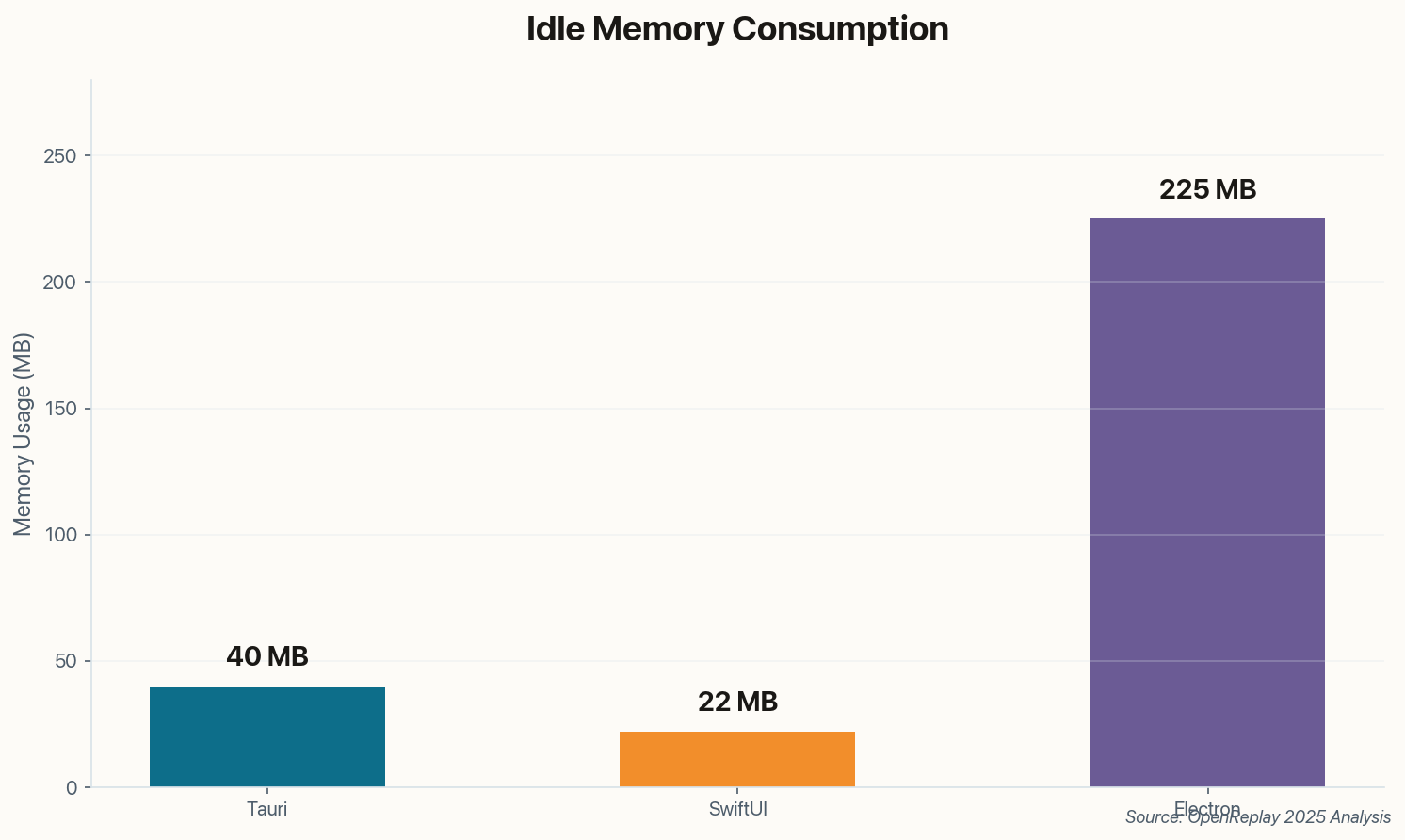
Tauri apps idle at 30–50 MB. SwiftUI apps at 15–30 MB. The difference compounds when users—the real humans who will run your software—have a dozen apps open. An Electron-based tool that seems fine in isolation becomes the one thing users blame when their fans spin up.

Memory usage comparison showing Electron using 5x more RAM than alternatives
Idle memory consumption. Chromium's multi-process architecture creates significant overhead even for simple apps.

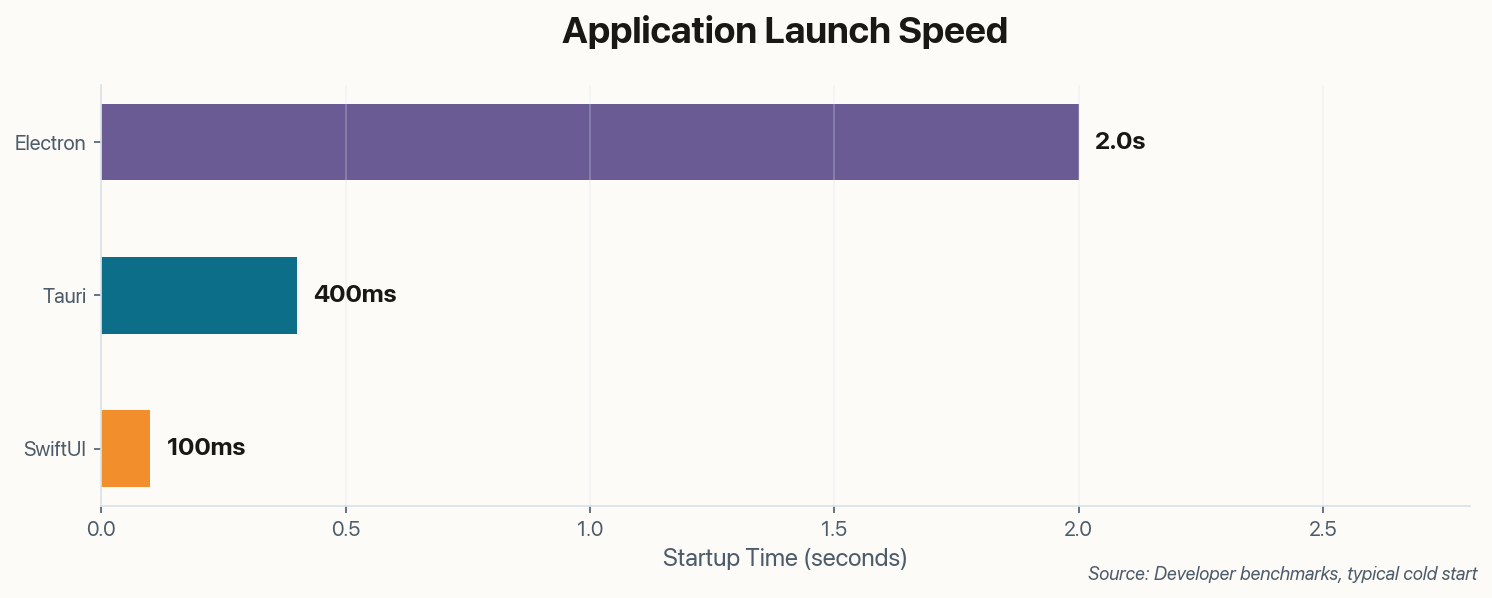
Startup time tells a similar story. SwiftUI and Tauri apps launch near-instantly (under 500ms). Electron apps need 1–3 seconds to bootstrap their runtime. That delay feels acceptable when you're the developer, testing your own creation. It feels less acceptable when you're the fifth Electron app a user opens that morning.

Startup time comparison: SwiftUI instant, Tauri 0.4s, Electron 2s
Cold start times. The gap widens further on older hardware or when system resources are constrained.
03

The Rust Tax vs. The Familiar Path

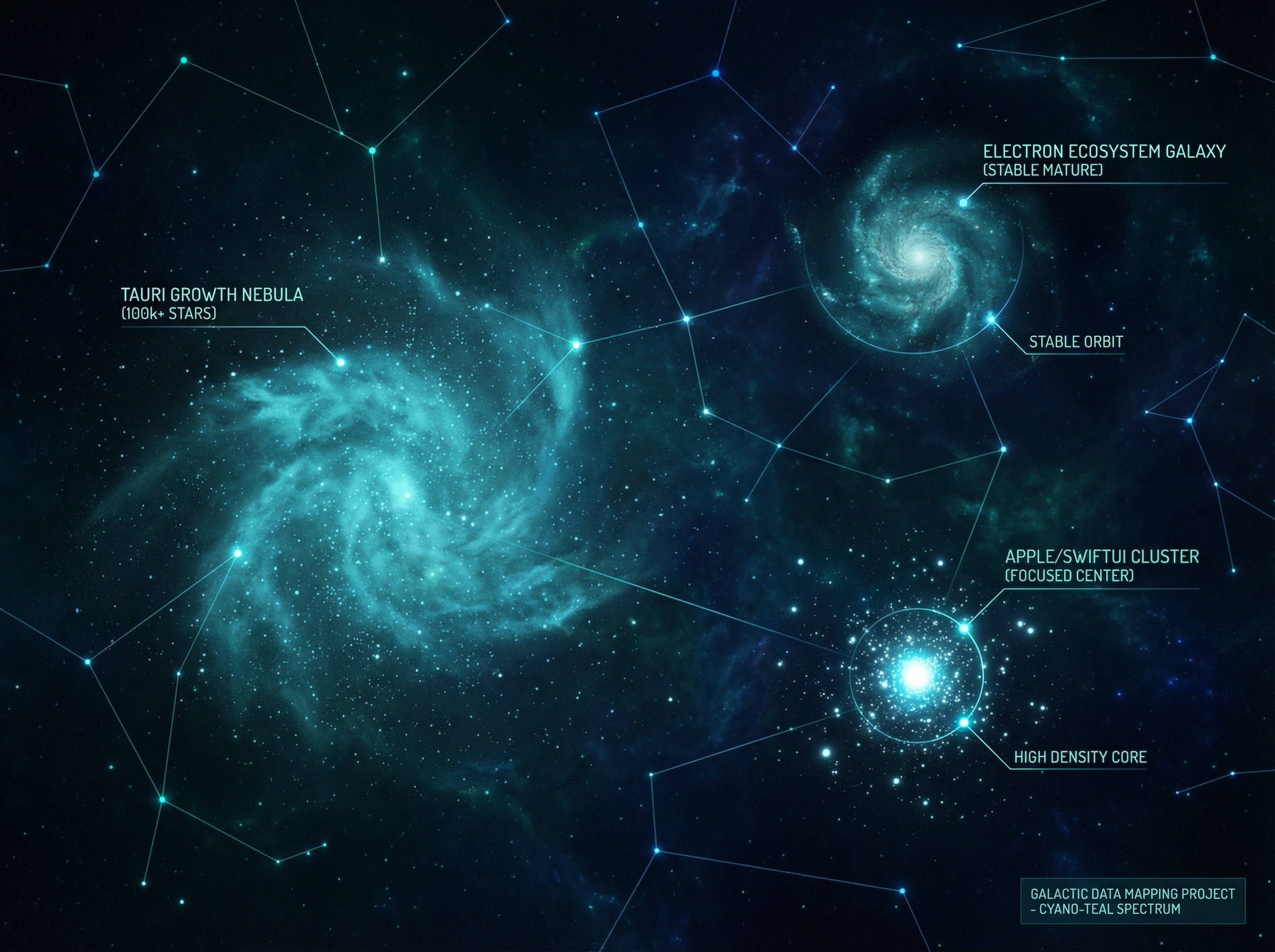
Ecosystem visualization showing community growth patterns

Electron's killer feature isn't performance—it's familiarity. If your team writes JavaScript, you already know how to build an Electron app. The Chrome DevTools you use daily work identically in Electron. Every npm package you've ever installed (mostly) just works. The barrier to entry is essentially zero for web developers.

Tauri asks more. Your frontend can still be React, Vue, or Svelte—no change there. But the backend is Rust. If you've never fought with the borrow checker, prepare for a learning curve. The v2 CLI and improved hot-reload have smoothed onboarding significantly, but "Rust proficiency" remains a hard requirement for anything beyond basic file system operations.

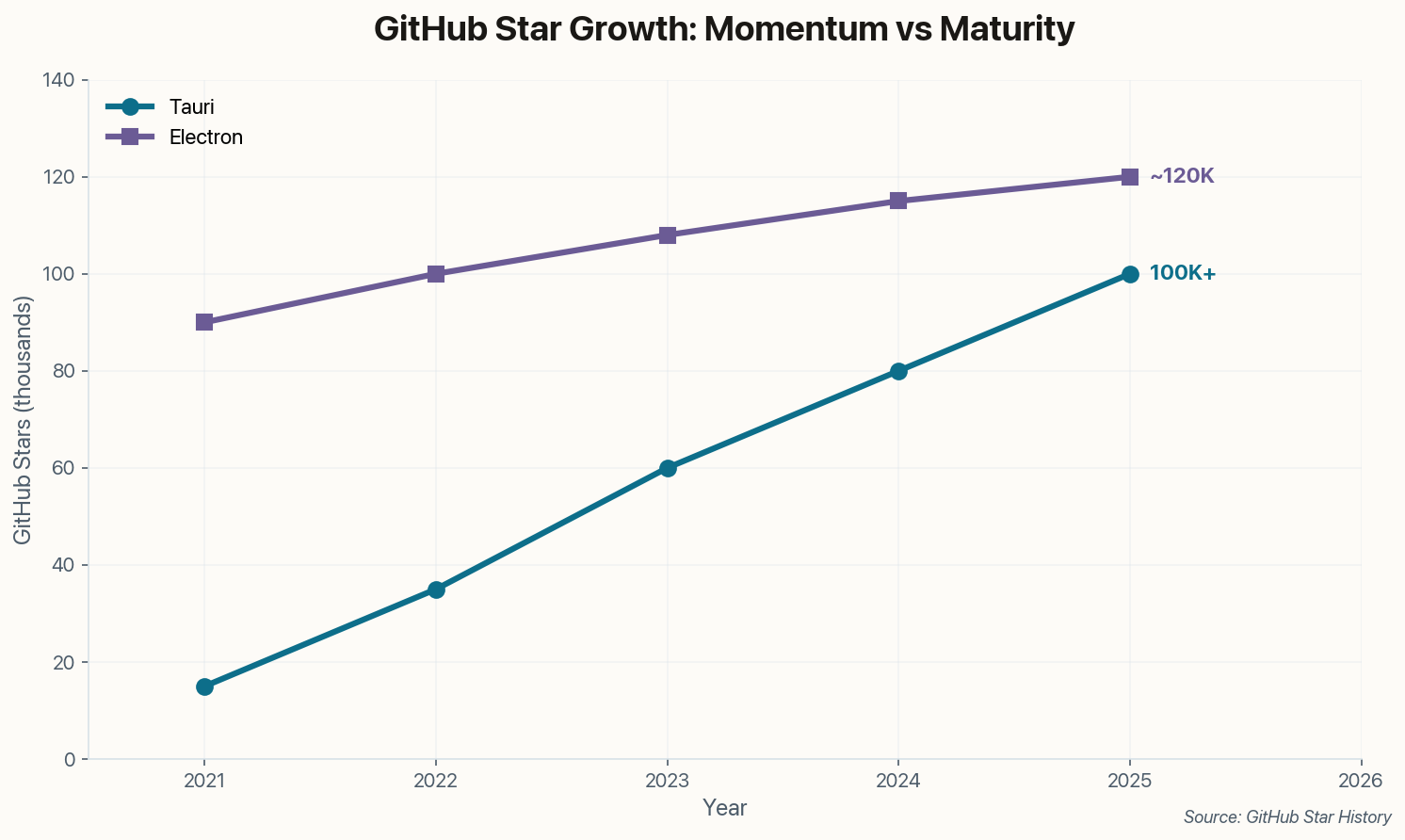
GitHub star growth showing Tauri's rapid rise approaching Electron
Star trajectory tells a story: Tauri is growing fast, but Electron's massive install base isn't going anywhere.

SwiftUI requires the deepest commitment. You're learning Swift, Apple's declarative UI paradigm, and Xcode's particular way of doing things. The upside? Live Previews that let you iterate on UI in real-time. The downside? Skills that transfer nowhere outside the Apple ecosystem. For pure macOS tools, though, nothing matches the integration depth.

04

Tauri 2.0 Changed the Game Nobody Expected

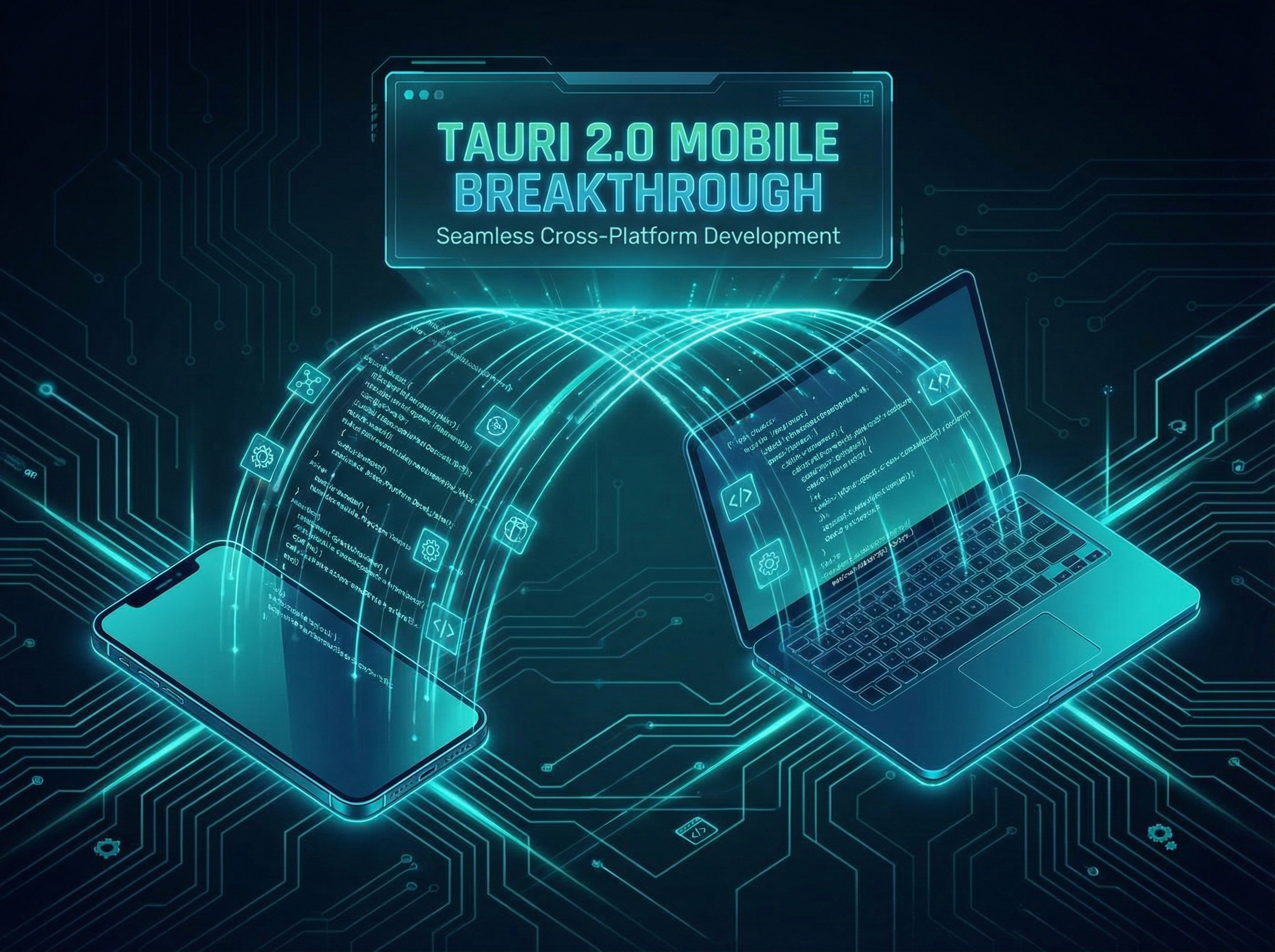
Cross-platform bridge connecting desktop and mobile devices

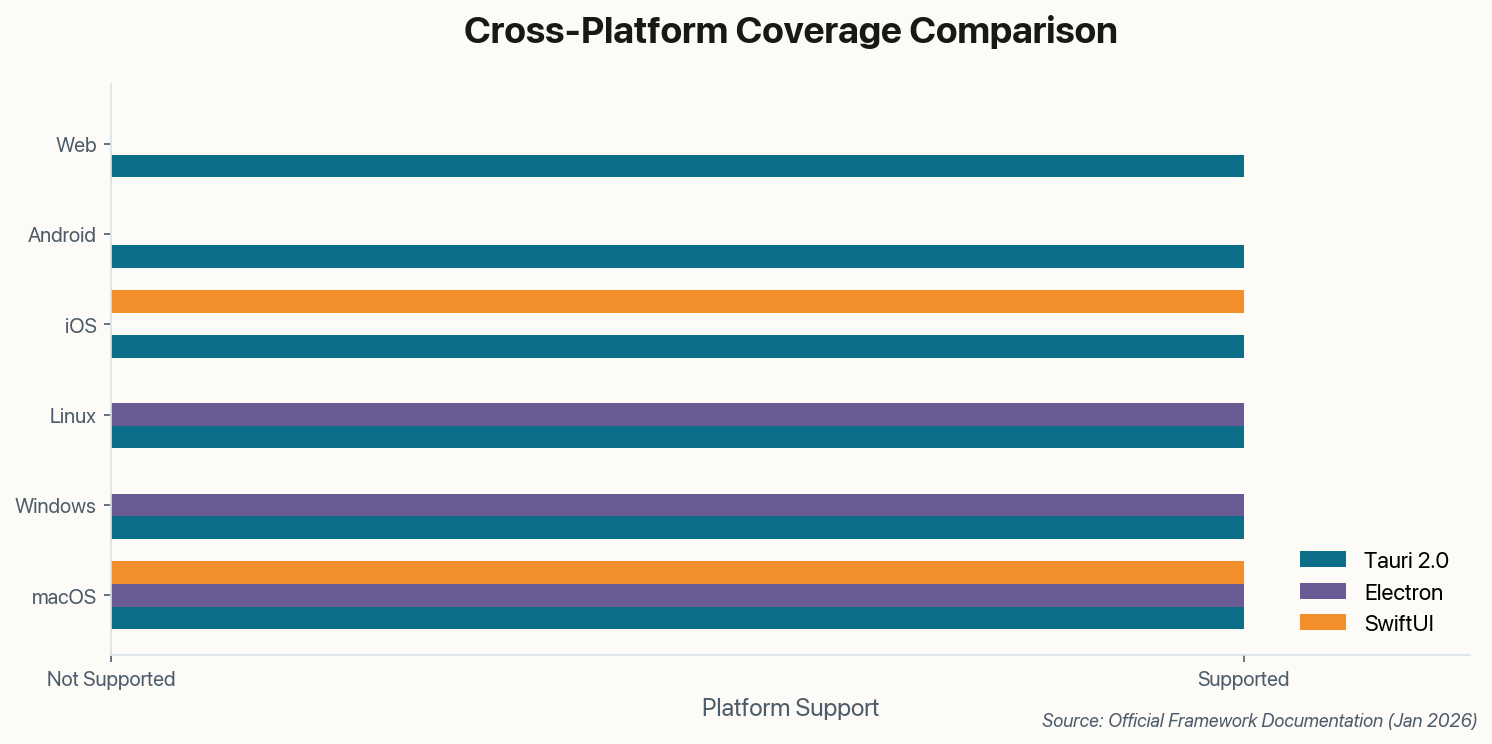
Until late 2024, the framework landscape had a clean split: Electron for cross-platform desktop, React Native or Flutter for mobile, SwiftUI for Apple-only. Then Tauri 2.0 dropped with iOS and Android support, and suddenly one framework could target desktop, mobile, and web from a single codebase.

This isn't theoretical. Companies like Cap (the screen recorder) are shipping Tauri apps to Mac, Windows, Linux, iOS, and Android. Microsoft and Vercel have begun using Tauri for internal tools. The plugin ecosystem exploded post-v2, covering notifications, system tray, biometrics, and most standard OS features.

Platform coverage matrix showing Tauri now covers all platforms
The 2025 landscape: Tauri is the only framework covering every major platform from one codebase.

Electron can't follow. Its architecture—bundling Chromium—makes it fundamentally unsuited for mobile where battery life and app size matter intensely. SwiftUI's platform coverage is Apple-only by design. If your roadmap includes "maybe Android someday," Tauri is now the only framework that doesn't require a rewrite.

05

The Mac App Store Gatekeepers Have Opinions

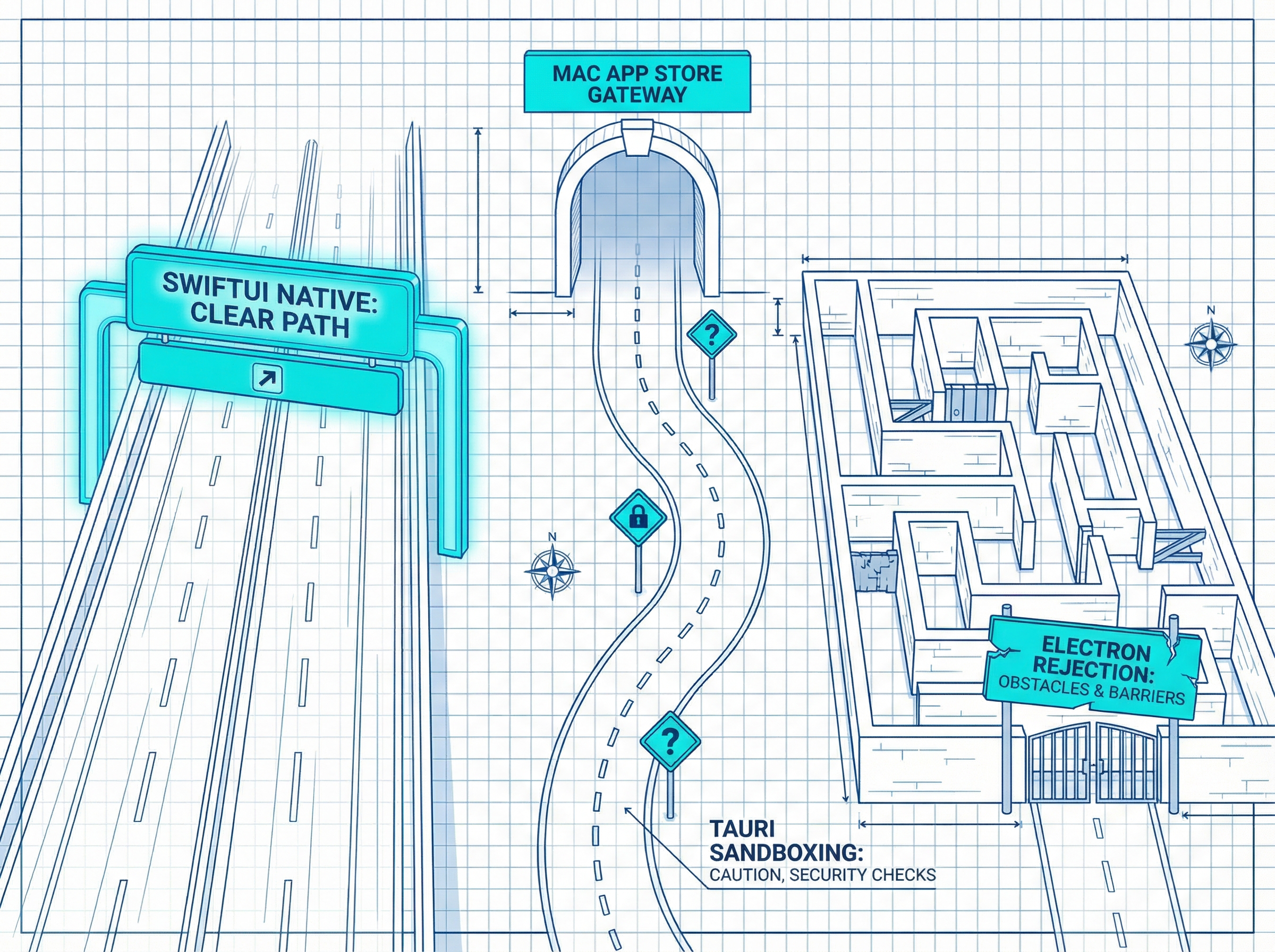
Three paths to the App Store with varying difficulty

If you plan to distribute through the Mac App Store, your framework choice has real consequences. SwiftUI apps sail through review—they're Apple's own technology, using Apple's own APIs, in Apple's own sandbox. Zero friction.

Electron apps face a minefield. The framework's use of certain Node.js features and inter-process communication patterns historically triggers sandboxing violations. You'll need a special "MAS build," careful entitlement configuration, and possibly architecture changes to pass review. Rejections are common; developers spend weeks in app review purgatory.

Key distinction: Electron's issues stem from bundling its own runtime. Tauri uses macOS's native WebKit, which Apple implicitly trusts. But you still need explicit permission scoping in tauri.conf.json to satisfy reviewers.

Tauri sits in the middle. It's lighter, uses Apple's WebKit, and generally causes fewer review headaches than Electron. But it's not a first-party technology, so edge cases exist. For maximum App Store compatibility with minimum hassle, SwiftUI remains unmatched—Apple won't reject its own frameworks.

06

How to Actually Choose

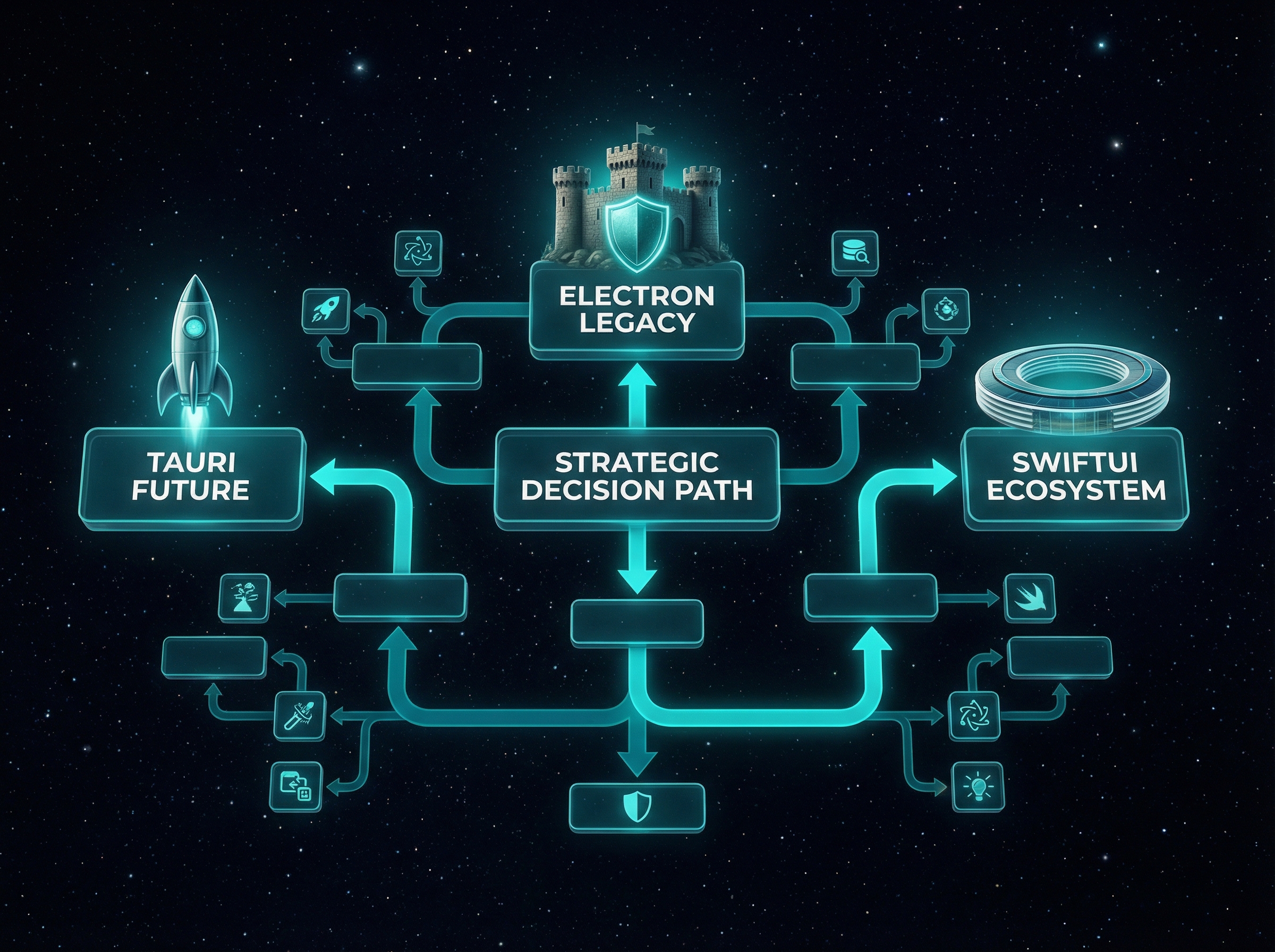
Decision flowchart with three distinct paths

Strip away the benchmarks and community debates, and you're left with three honest questions:

Is your team already productive in JavaScript/TypeScript with no bandwidth to learn new paradigms? Choose Electron. Yes, it's heavier. Yes, users notice. But shipping matters more than optimization theater, and Electron's ecosystem means fewer blockers. VS Code, Slack, and Discord prove you can build world-class products with it.

Will your app ever need mobile, and can you invest in learning Rust? Choose Tauri. The upfront cost is real, but you're buying the only path to desktop + mobile + web from one codebase. The performance benefits are immediate; the strategic flexibility compounds over time. This is where the industry is heading.

Are you building exclusively for Mac users who expect deep OS integration and native polish? Choose SwiftUI. Nothing else matches its access to Apple's latest features—Shortcuts, Stage Manager, Apple Intelligence integration on day one. The skills don't transfer, but the quality is unassailable. For Mac-first tools targeting power users, there's no real alternative.

The "wrong" choice is rarely catastrophic. Electron apps get refactored to Tauri when performance becomes unacceptable. SwiftUI apps add Windows support by building a parallel Tauri frontend. The real mistake is paralysis—not shipping because you're optimizing for hypothetical future requirements.

The Stack Follows the Strategy

Framework wars are ultimately about resource allocation. Time spent learning Rust is time not shipping features. Memory saved on users' machines is loyalty earned. Choose based on what you're actually building, not what sounds technically impressive.